
90% of Candidates Quit the AI Interview. Here's How We Fixed It.
4 week UX redesign focused on improving the candidate experience on an AI-powered hiring platform.
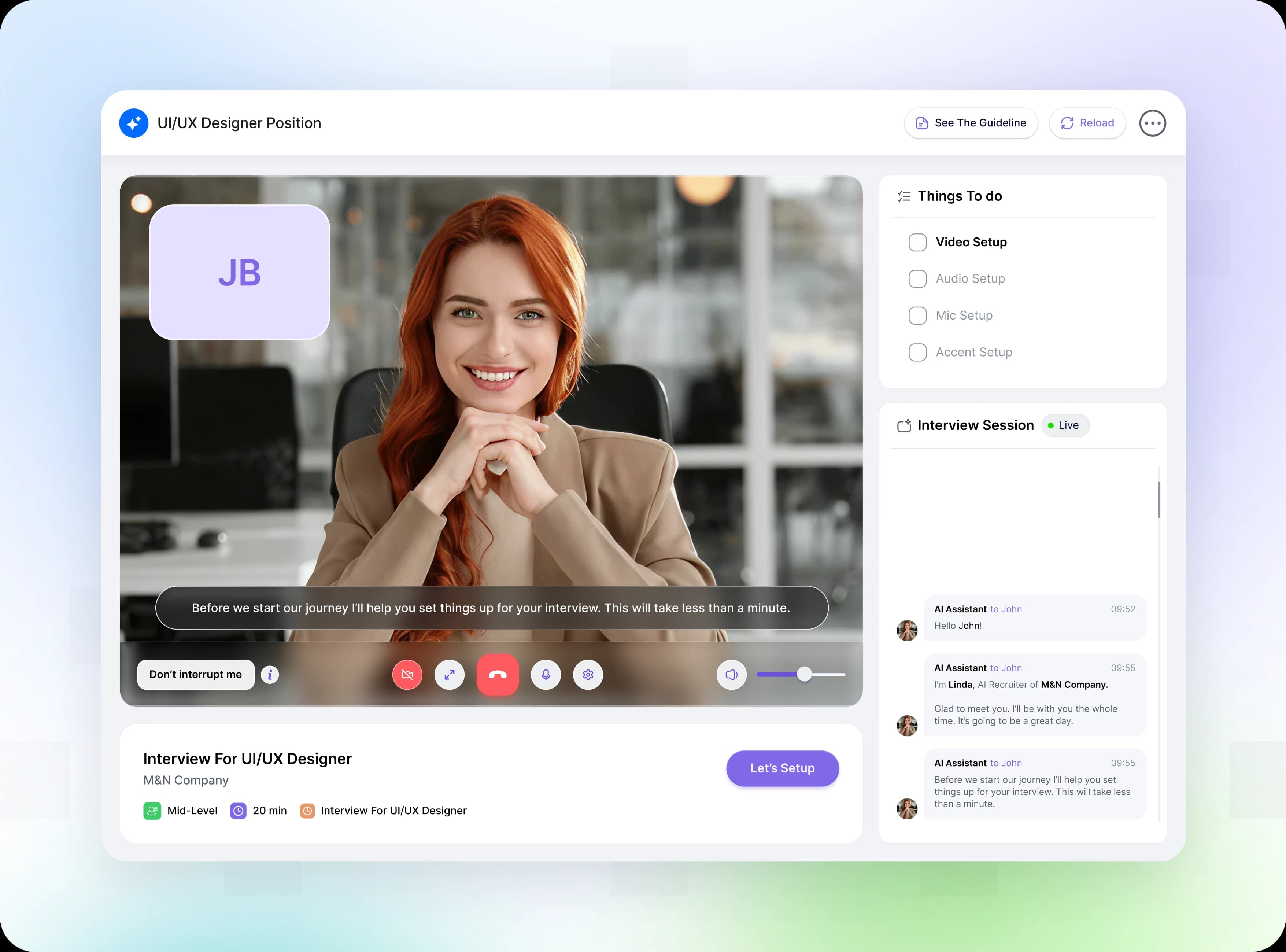
Recently, a conversation with a job-seeking friend revealed a critical flaw in modern AI hiring tools. After opening an AI interview link, he was asked to calibrate his camera and microphone. With no guidance or clear next steps, the ambiguity built anxiety and he simply closed the tab.
This real-world frustration inspired our team, OFNAV, to dive deep into HIREAI. Despite being a feature-rich platform with powerful AI, the data confirmed our suspicion: nearly 9 out of 10 candidates abandoned their interviews before completion.
Over an intensive four-week sprint, Team OFNAV analyzed the root causes of candidate drop-off and redesigned the experience. As a result, we successfully boosted the interview completion rate from a dismal 10% to roughly 50%.
Here is the story of how we tackled the problem, starting with the basics...
Logo Formation
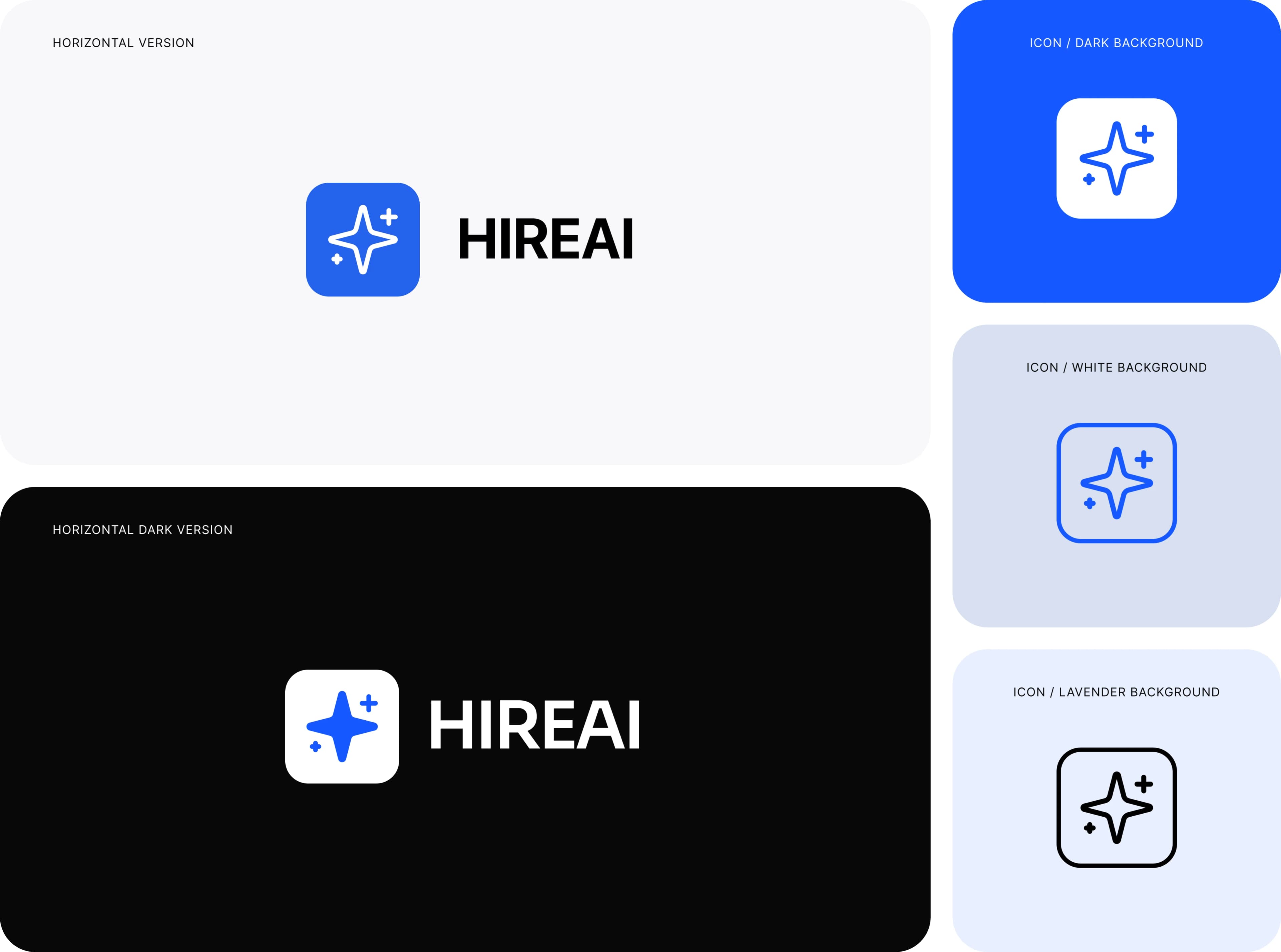
HIREAI uses a distinctive spark-inspired symbol to represent AI interviews without making the overall experience feel unfamiliar.
The spark symbolizes intelligence and creativity, while its clean form and blue-and-white palette create a consistent, modern identity across the HIREAI experience.
This study explores the logo symbol and its applications across the HIREAI interview experience and digital touchpoints.
The Problem: Great AI But Almost Empty Interviews
HIREAI had everything a modern hiring tool should have. It had AI. It had features. It even had good intentions.
But almost every candidate was leaving before the interview was finished. That 90% drop-off was impossible to ignore.
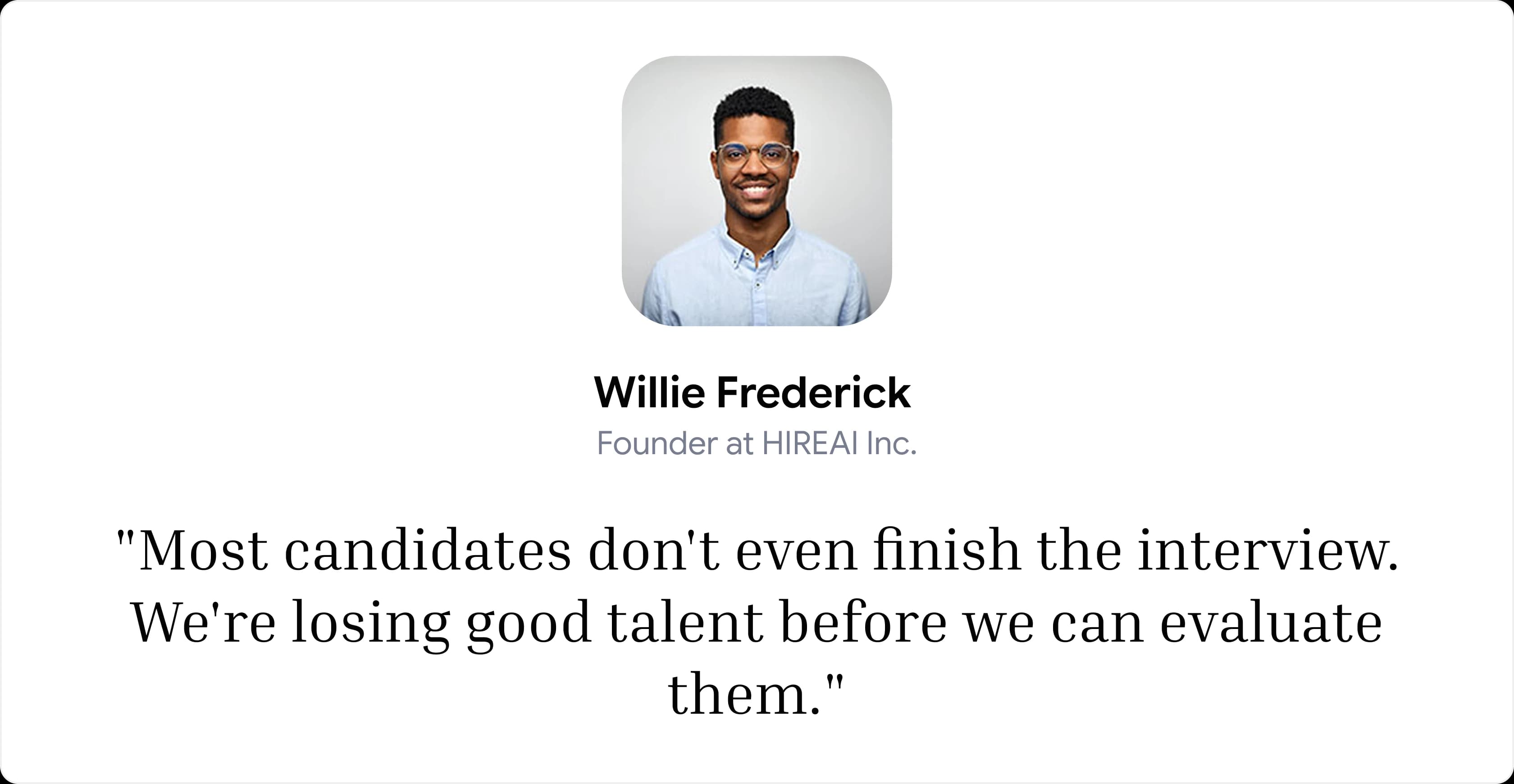
Think about what this means. A company pays for a hiring tool. Good people apply. And then those people quietly disappear, before anyone has a chance to see how good they are.
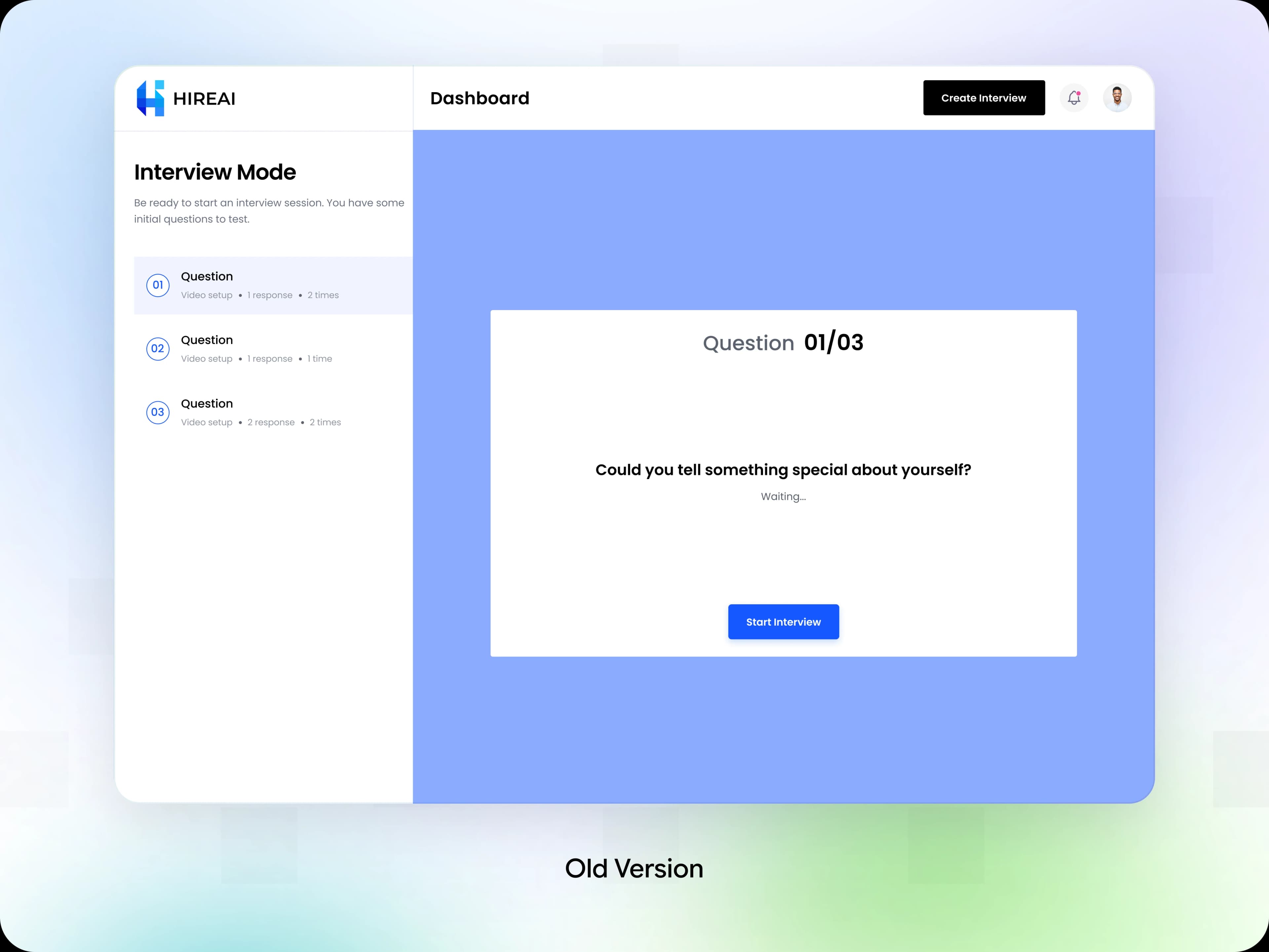
What We Found: The AI Was There, but It Was Not Helping
When we looked closely at the old flow, one thing stood out. The AI was not guiding anyone. It was passive, optional and invisible, right when candidates needed it most. The data showed about 90% drop-off inside the interview flow. Behind that number were four simple problems:
No Guidance From AI
The AI sat quietly and did nothing.
Unclear Next Steps
Candidates did not know what to do next.
Poor Feedback
There was little help during the interview.
Weak Support
When something felt confusing, nobody was there.
Now Look at It From the Candidate's Side. This Is What They Felt:
The AI sat quietly and did nothing.
They felt nervous and unsure.
No one (and nothing) reassured them.
They left before finishing.

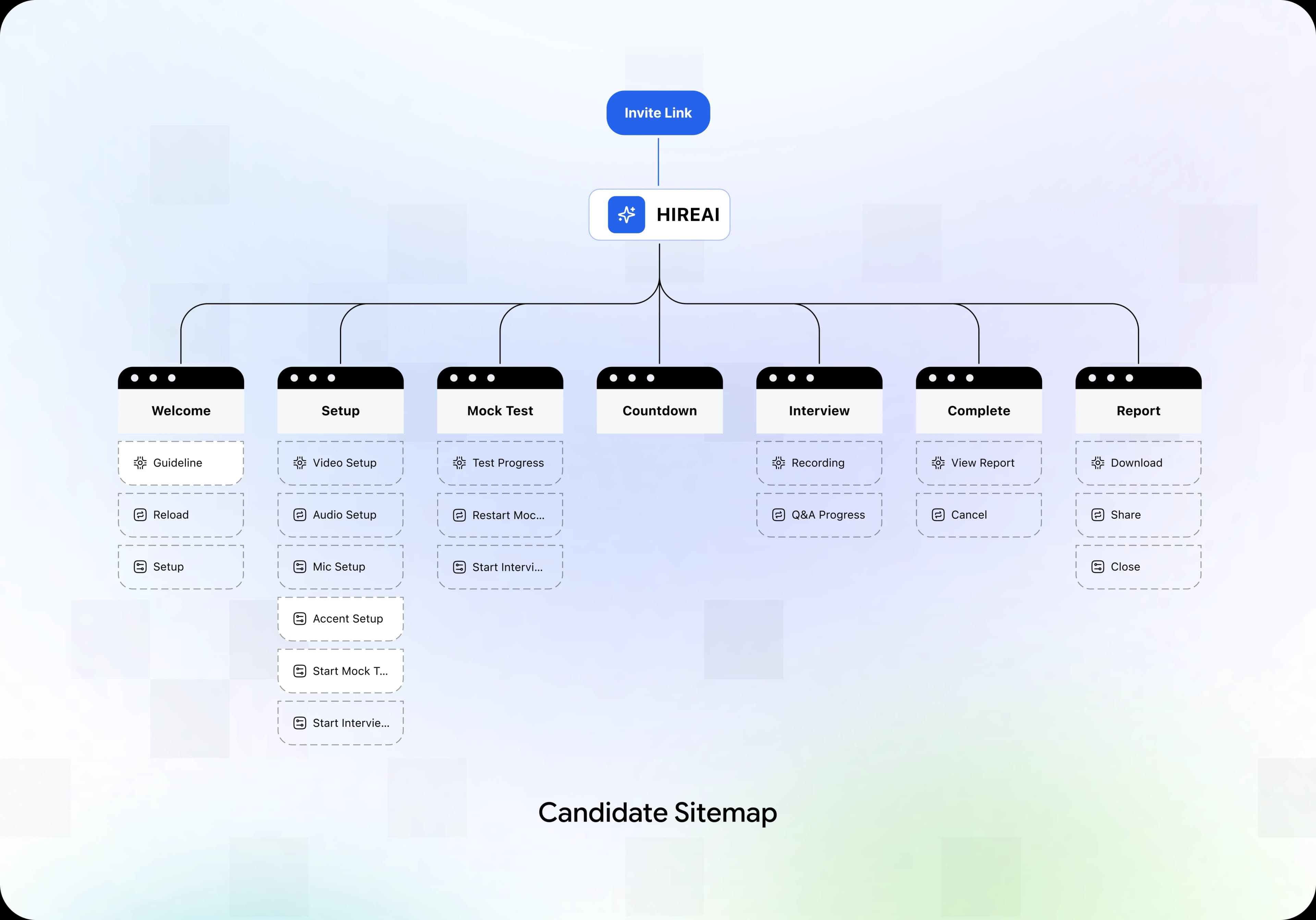
Information Architecture
Before we drew a single screen, we mapped the whole candidate journey as a sitemap. The rule was simple: every stage must be intentional. If a page did not help the candidate move forward, it did not belong.
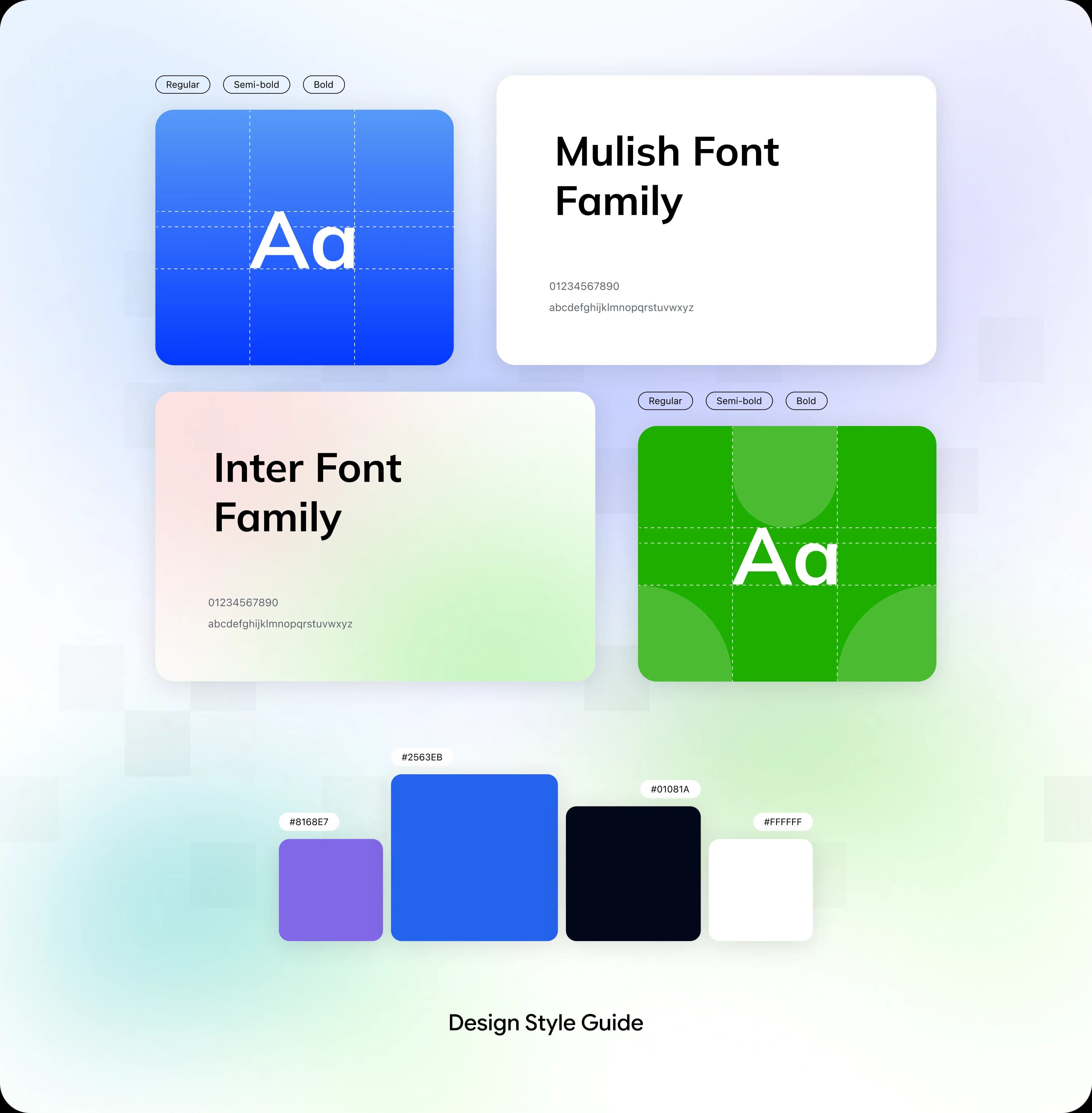
A Small Design System With a Clear Reason for Every Choice
Good design feels calm because it is consistent. And consistency does not happen by accident. So we built a small design system first.
Three Problems, Three Solutions
To cut the drop off, We redesigned the whole journey around one idea: the AI should guide the candidate, not just sit on the page. Here is how that worked, problem by problem.
Problem: The Setup Was Confusing
Candidates struggled just to start the interview. Many left before they began.
Solution: AI-Guided Setup
The AI now helps candidates set up their video, audio, microphone and accent, one step at a time. It gives live help with face position and camera setup, and every instruction is clear and short. No technical skills needed.
Problem: Candidates Felt Nervous and Lost
Talking to a machine can feel strange. Candidates were unsure what to say and what would happen next.
Solution: Conversational AI
The AI now speaks like a friendly human interviewer. It explains each step clearly. Before the real interview, it even offers a quick mock round with a gentle line: "Think of this as a practice run, no pressure." This lowers anxiety and builds confidence.
Problem: No Direction During the Journey
Once candidates were inside the flow, nobody was helping them move forward.
Solution: Continuous AI Guidance
The AI now stays active from the first screen to the last. It gives real time feedback and clear direction at every step, so candidates always know where they are and what comes next.
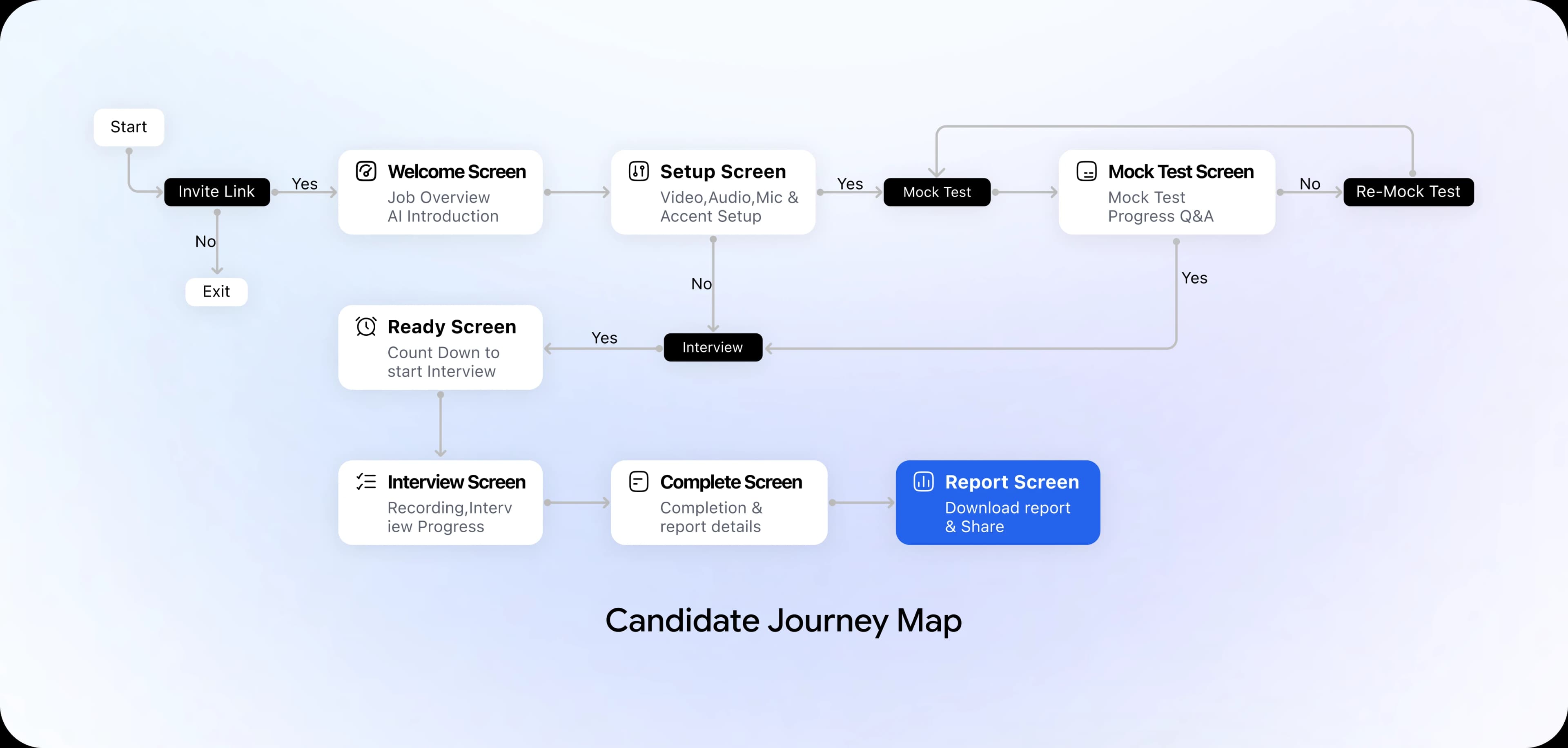
The Candidate Journey: No Dead Ends, No Confusion
We mapped the full journey so that every move from one screen to the next was on purpose. The AI is present at every stage.
From Wireframes to High-Fidelity Screens
We like to build in two passes. First get the structure right. Then make it beautiful.
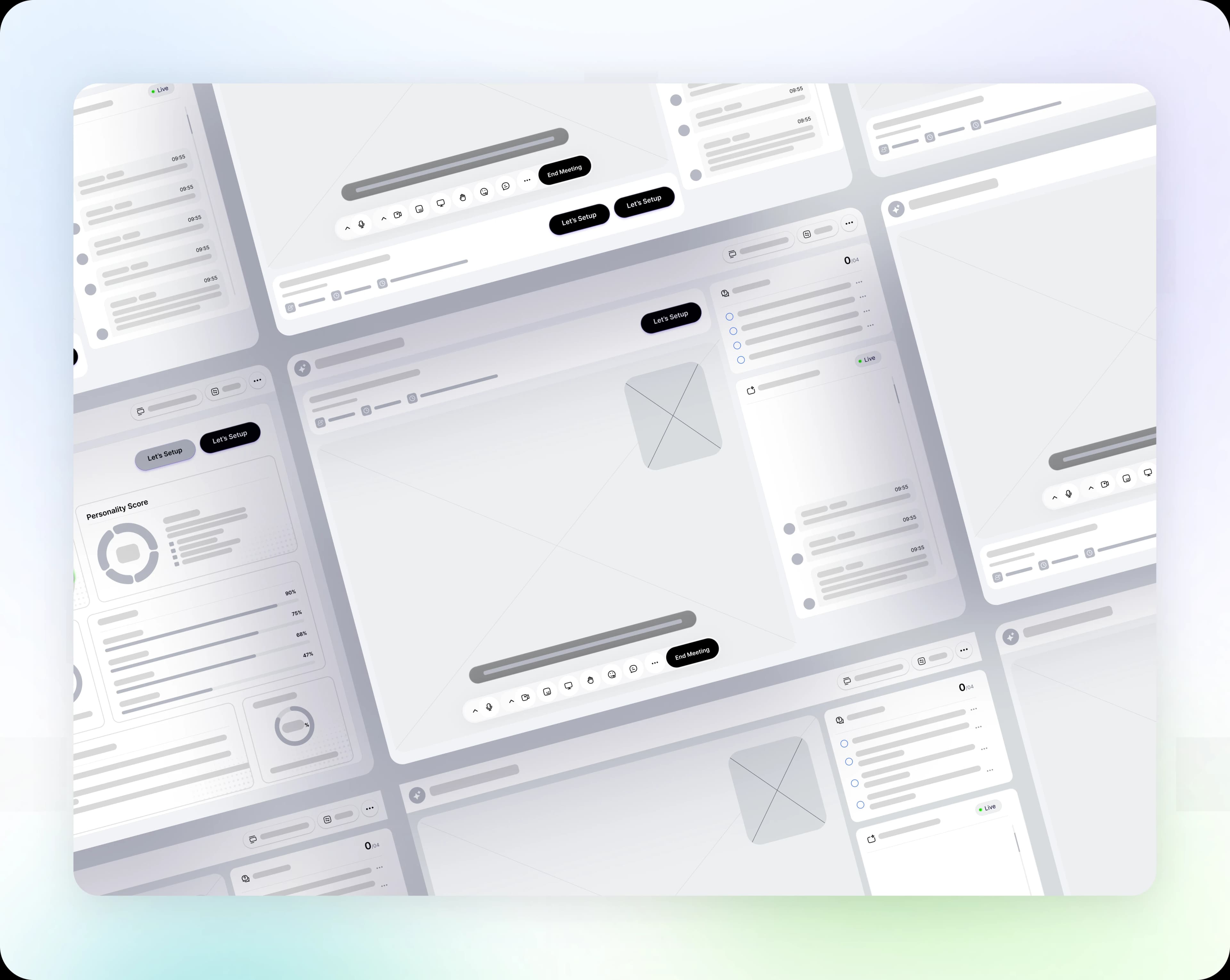
Low-Fidelity Wireframes
The wireframes had no color and no fancy fonts. They only had to answer one question does this layout work? They locked the page structure, the information order, the layout ratios and the place of the AI panel.
High-Fidelity Designs
Once the structure worked and the design system was ready, We moved to the final screens. In the end, we handed 37 screens to the developers. Below are the seven main steps of the candidate flow, and what each one does.
One thing stays the same on every screen: the main work area is on the left, and the AI assistant chat is on the right. Because the layout never changes, candidates never feel lost.
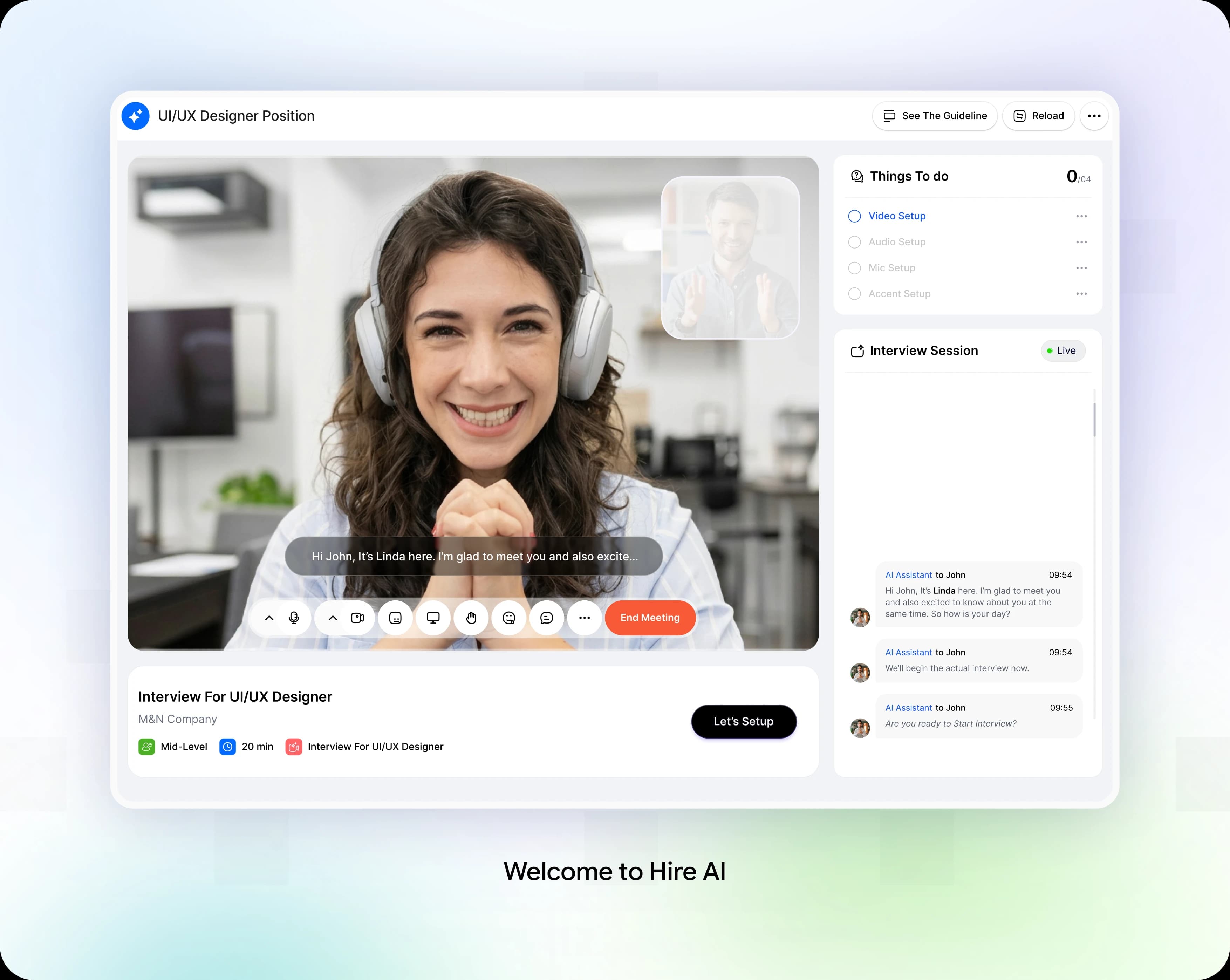
Welcome: The Start of the Journey
The candidate lands on a calm, simple screen. A short note says the interview takes about 7.5 minutes and is run by an AI Interviewer. On the right, the AI recruiter, Linda, says hello by name and promises to stay with the candidate the whole time. She explains that setup comes first: video, audio, mic and accent. There is one clear button. Let's Setup.
Design Decision:
The first thing a candidate sees is a friendly hello, not a form. A warm greeting and a single button make the start feel safe. Showing the four setup steps early tells people what is coming, so nothing surprises them.
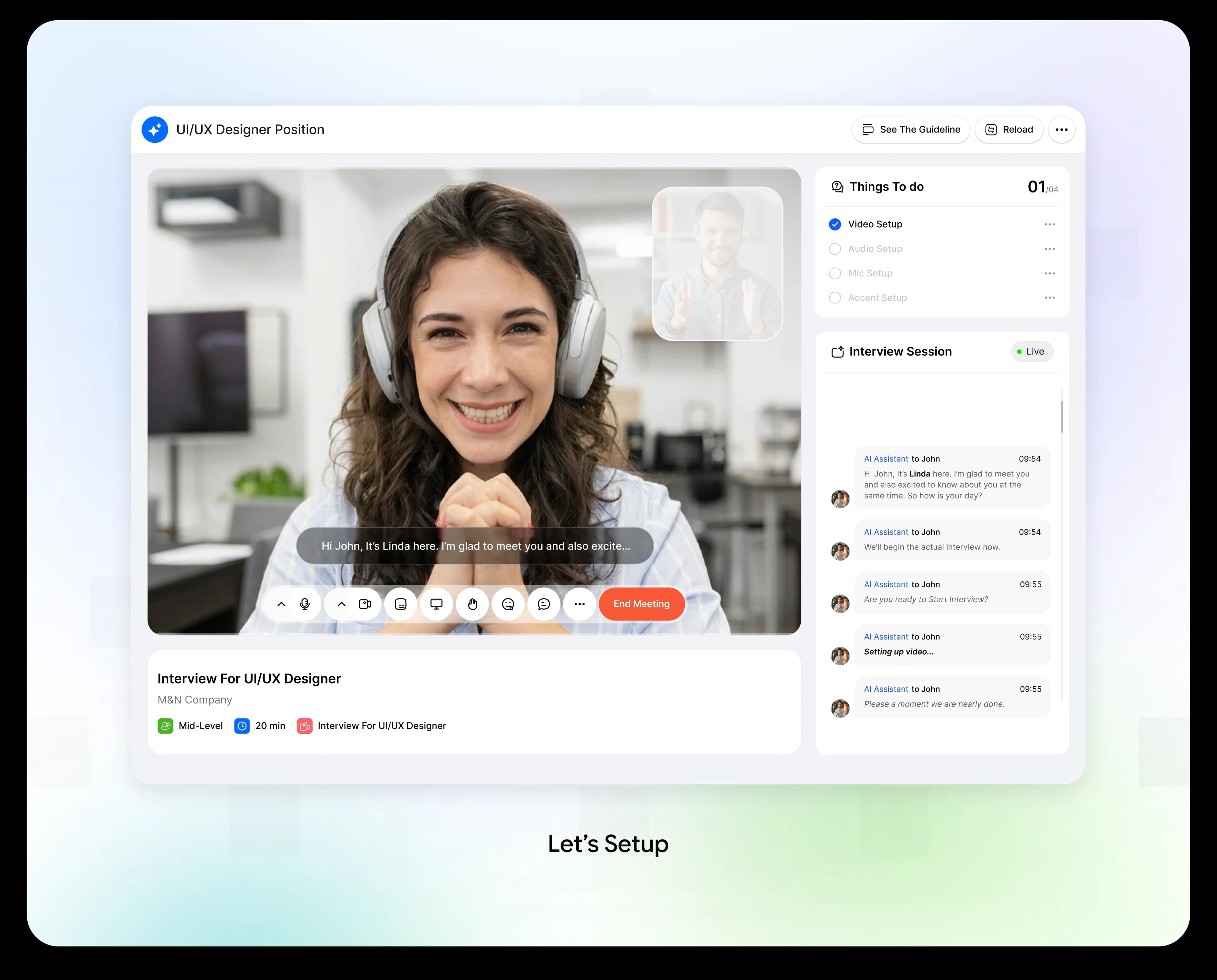
Setup: One Small Step at a Time
Setup now happens step by step, with the AI right beside the candidate. For video, Linda says she can see the candidate and gives one tip centre your face and keep your eyes in the top third of the screen. Next, the AI tests the microphone by asking the candidate to read a short line out loud. Every finished step gets marked as completed. Last comes accent Linda notices a British accent and changes her own speaking style to match.
Design Decision:
Setup was where most people gave up, so we made every step tiny. The AI explains one thing at a time, and each completed step gets a clear mark. Matching the AI's accent to the candidate's makes the talk feel more natural.
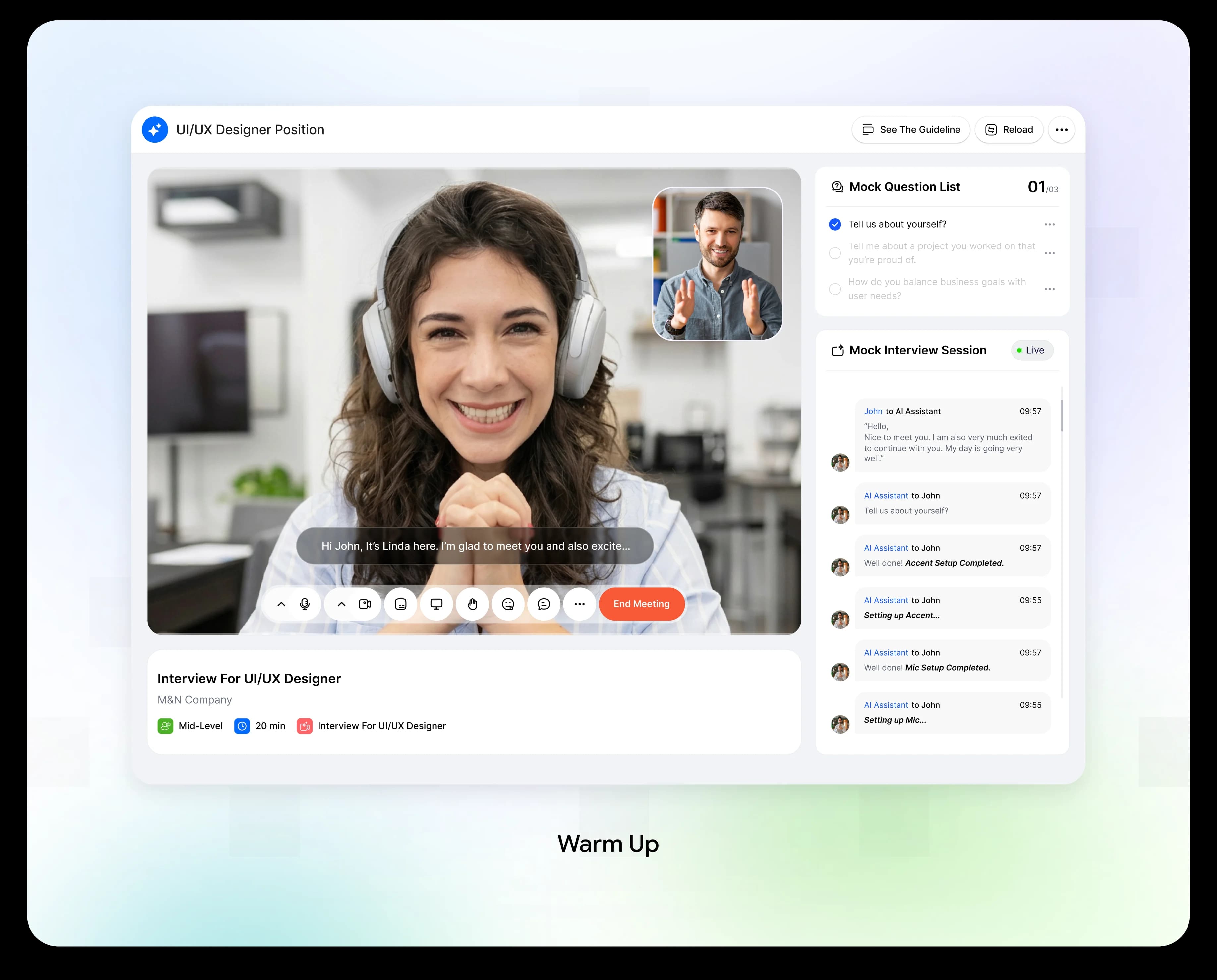
Warm-Up: A Practice Run With No Pressure
When setup is done, Linda says "You're all set" and offers a quick mock round. She calls it a practice run, with no pressure. The candidate sees three practice questions, like "Tell us about yourself?", and a counter such as 2 of 3. After each answer, the AI gives a short, kind reply, like "Good example. You explained the outcome well." Any time saved on one answer is added to the next one. At the end, a short summary says what went well and what to improve, and the candidate can retake the practice.
Design Decision:
Practice is the best cure for nerves. All questions are visible, so there are no surprises. Saved time carries over, so candidates never feel rushed. The feedback is short and friendly, and it always gives one clear thing to improve.
Ready: A Calm Pause Before the Real Interview
After the practice, Linda asks one simple question: “Are you ready to start the interview?” The candidate can retake the practice, or press Start Interview.
Design Decision:
This is a small pause between practice and the real thing. The candidate decides when to begin, so the interview never starts by surprise. The retake button is right there for anyone who wants one more try.
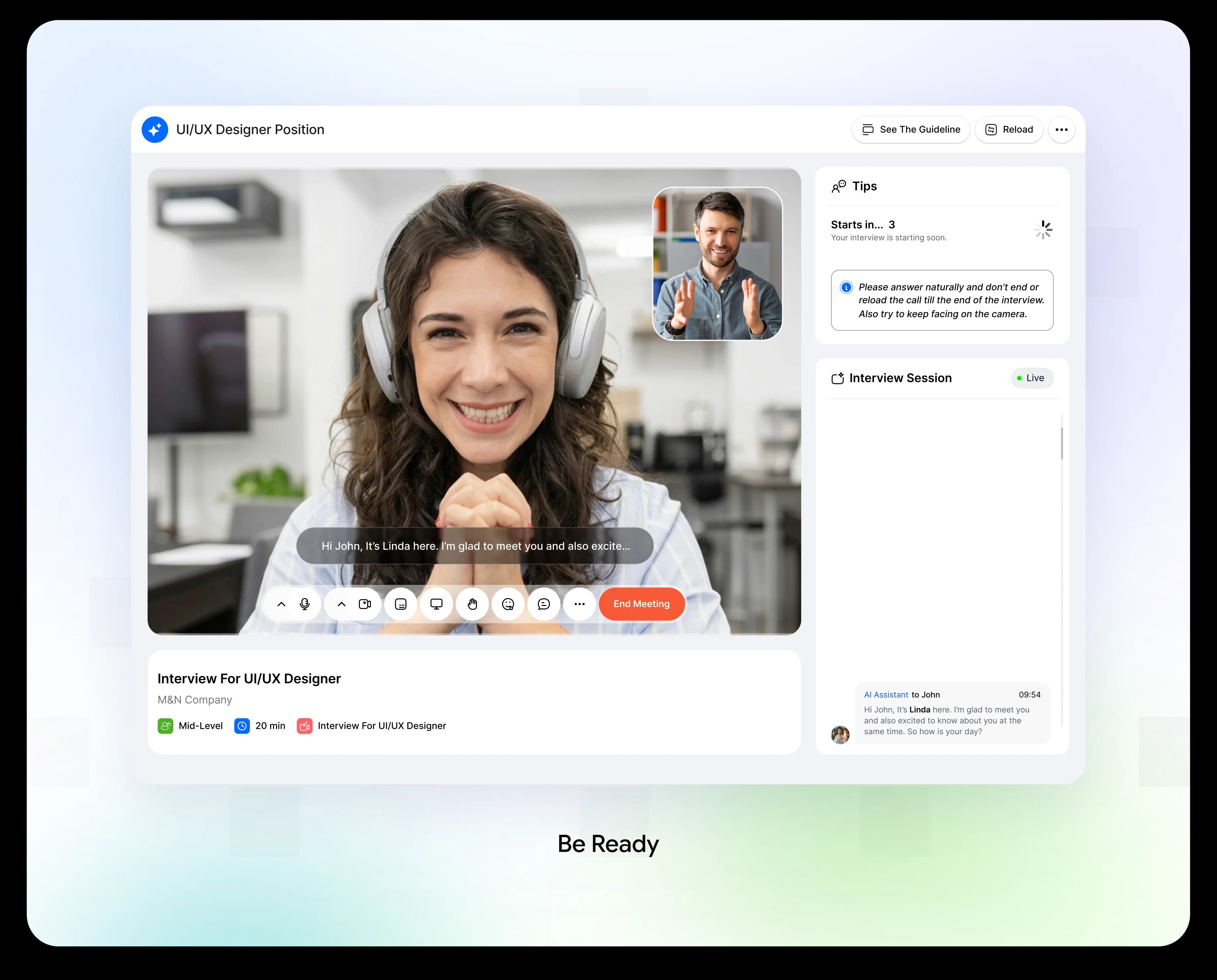
Interview: Real Questions, Steady Support
The real interview looks just like the practice. A list of questions sits on the main area, such as "Can you walk me through your recent role?", with a progress counter like 2 of 25. The AI asks each question in the chat and listens to the answer. The candidate's answer appears as text, and a note reminds them that time saved earlier has been added to this answer.
Design Decision:
Nothing here feels new, because the screen matches the practice. Candidates can always see how far they have come, the time they have, and which questions are next. The AI chat stays open the whole time, so nobody feels alone.
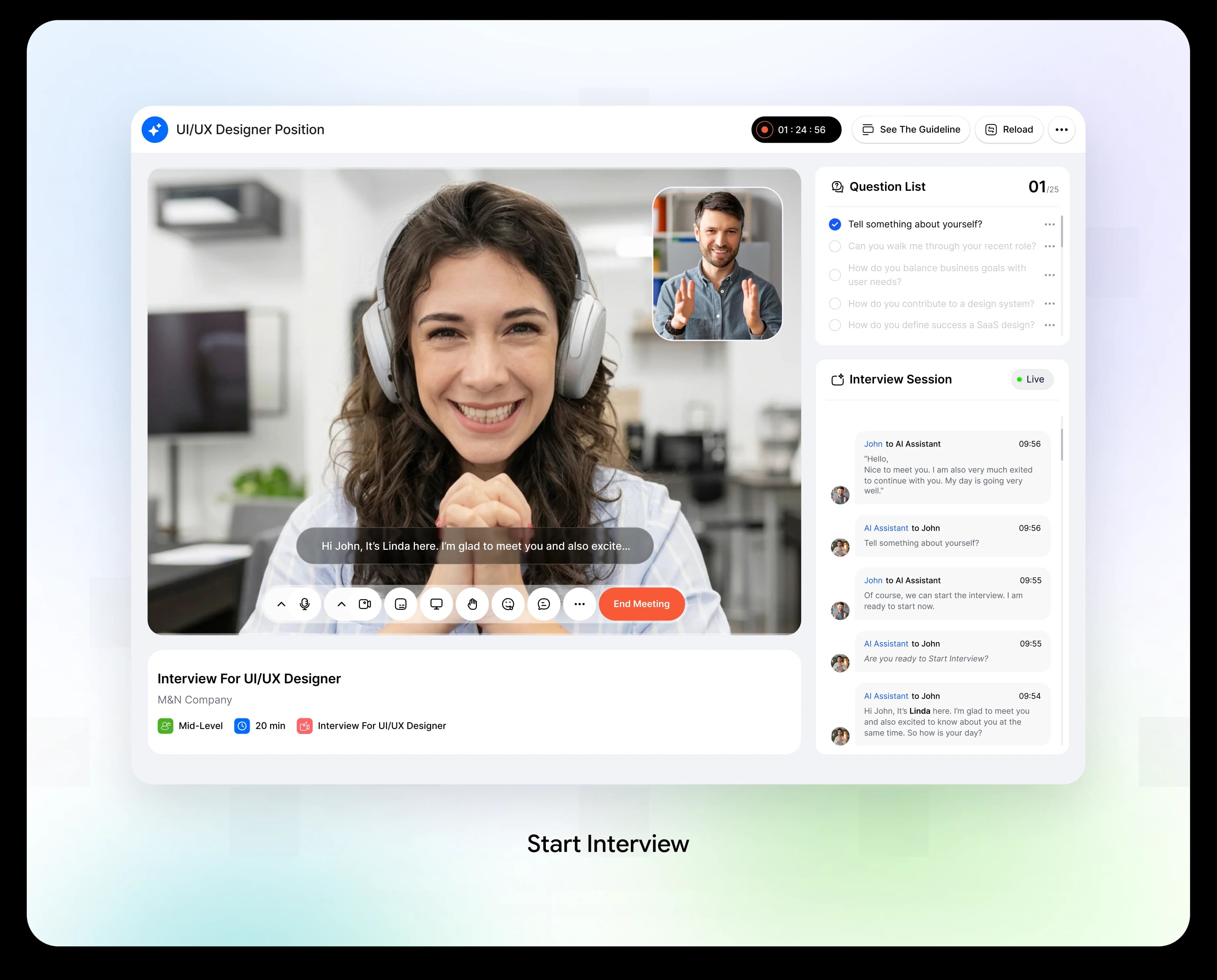
Complete: A Warm Goodbye
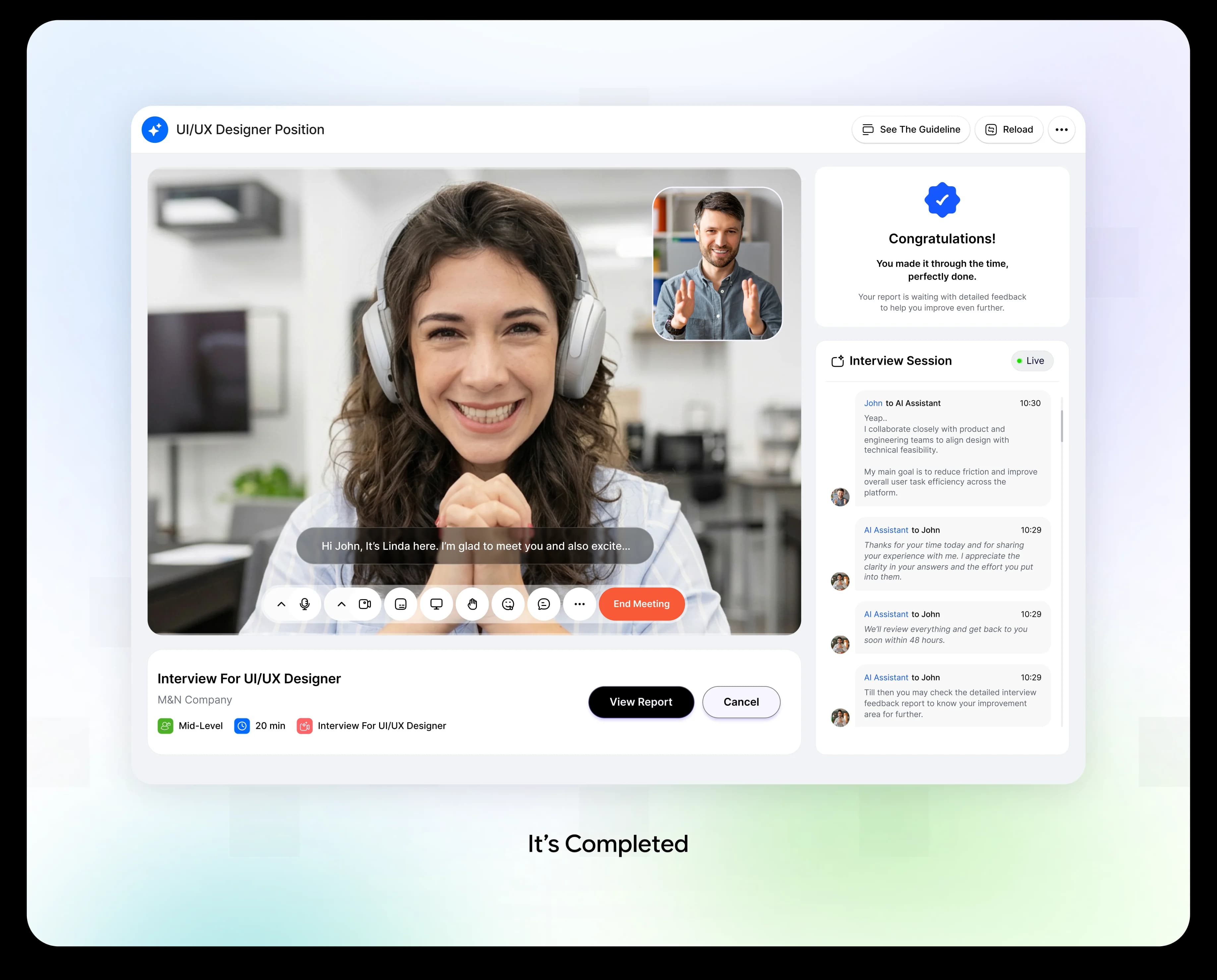
When the last question is done, Linda thanks the candidate for their time. She says the team will review everything and reply within 48 hours. A short message tells the candidate that a report with detailed feedback is waiting.
Design Decision:
Ending well matters. A thank-you comes first, then a clear promise about timing, then the next step. Candidates leave knowing exactly what will happen and where to find help to improve.
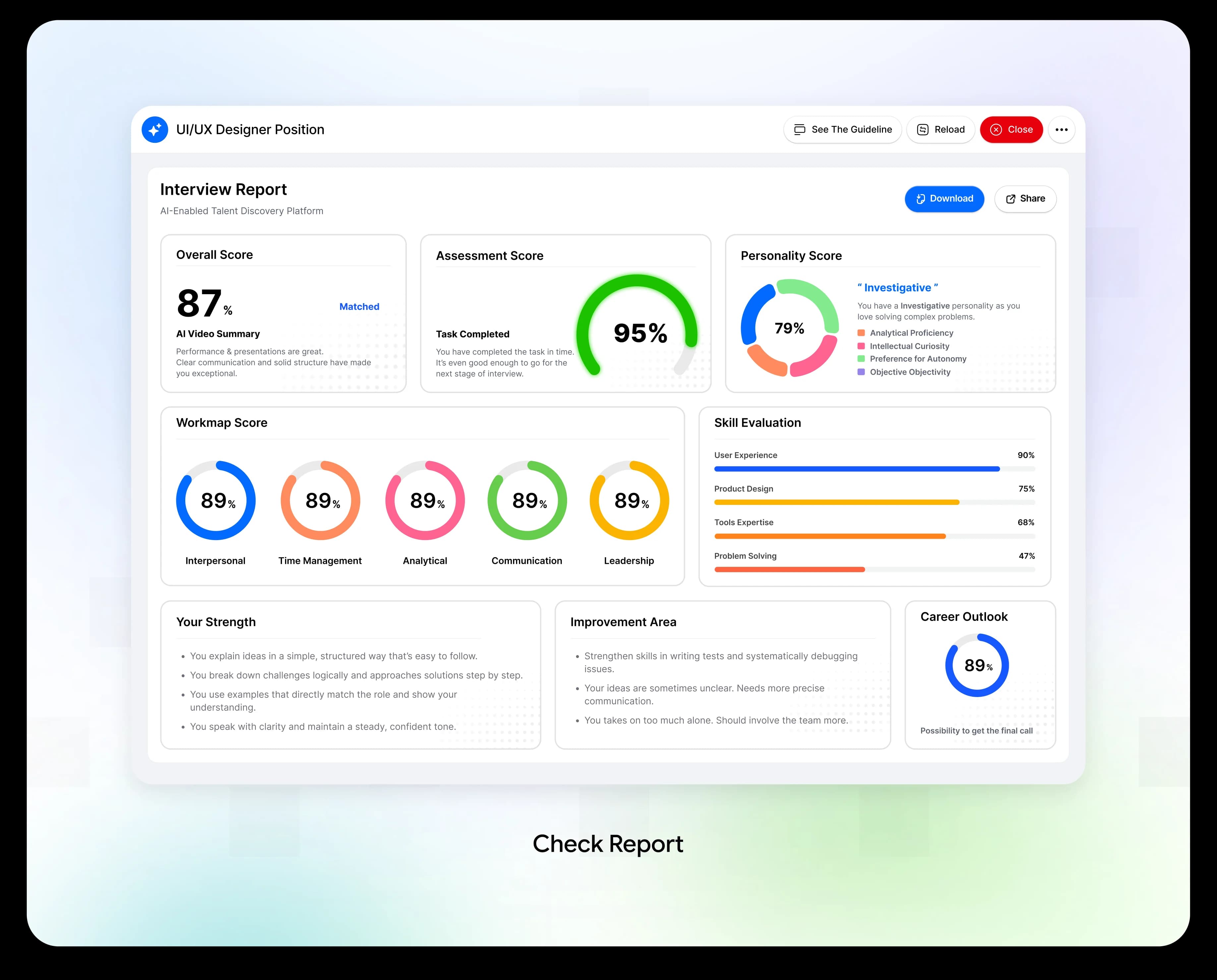
Report: Feedback You Can Use
The report opens with one big number, the overall score, shown as a match percentage. Below it are small cards: an AI video summary, an assessment score, a personality score, a workmap score and a skill evaluation. Then come two plain-language lists, Your Strength and Improvement Area. The page ends with a Career Outlook, which shows the chance of getting the final call. Candidates can close the report or export it as text.
Design Decision:
Show the big result first, then the reasons. Each score sits in its own small card, so the page is easy to scan. Strengths and improvement areas are written as simple sentences that tell candidates what to keep doing and what to work on. The career outlook closes the report with a clear next step.
The Results: What Changed After the Redesign
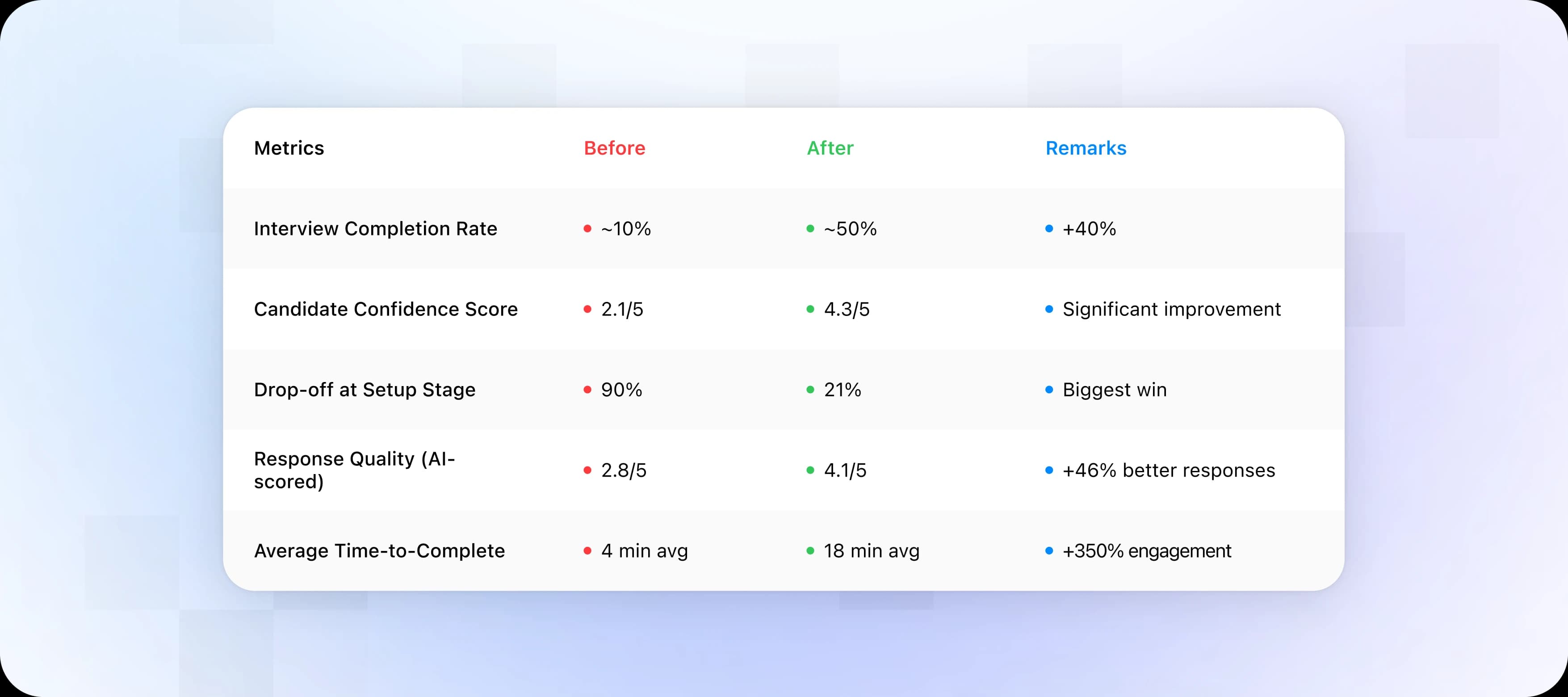
We measured the new flow with 1,200 candidates over 6 months. The biggest win was at the setup stage, where drop-off fell from 90% to 21%.
The average time to complete went up from 4 to 18 minutes. Here that is good news: candidates stayed in the interview and gave real answers instead of leaving early.
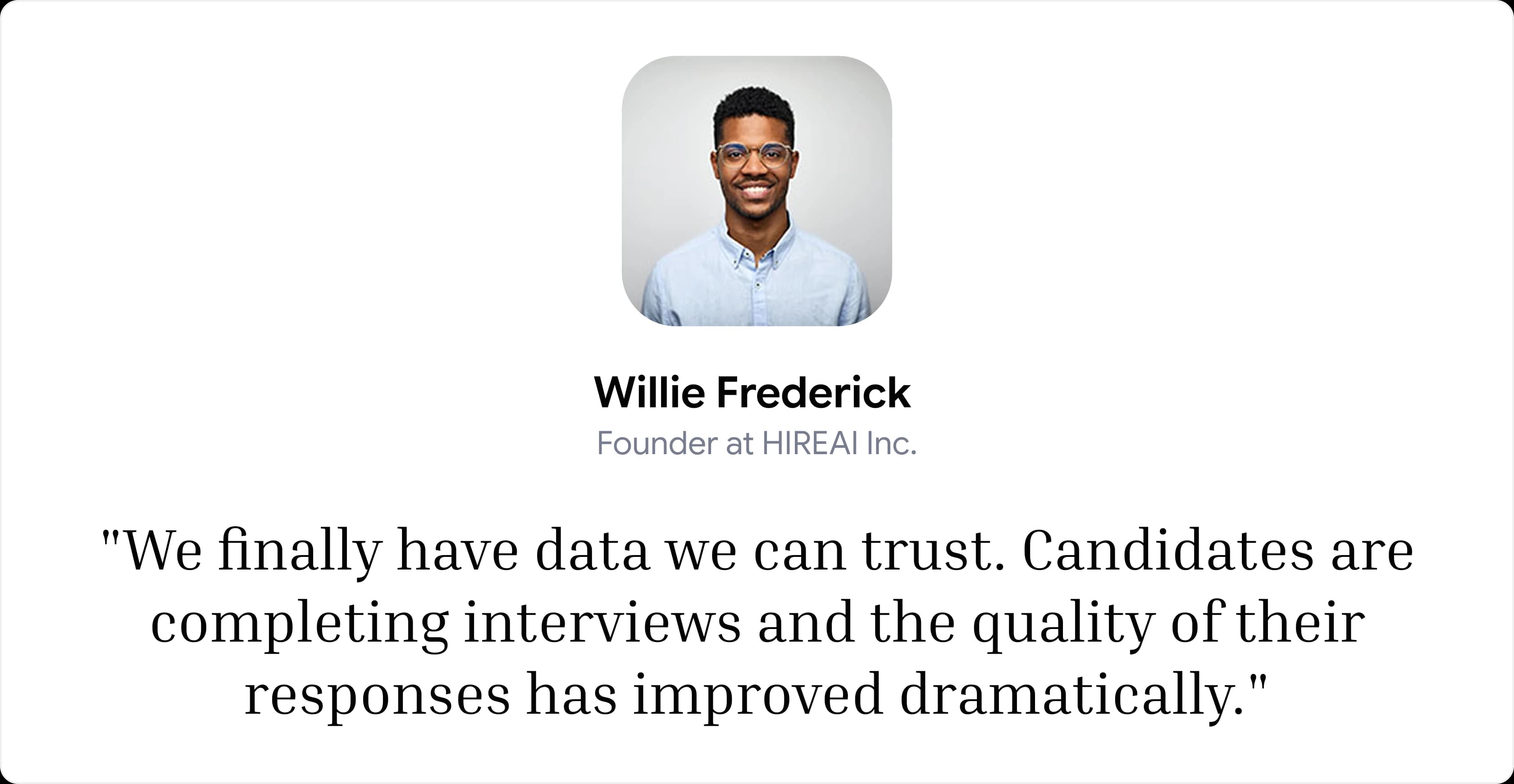
The Founder Put It Best
What We Build Next
The drop-off problem is solved. After measuring the impact, we found three new opportunities. Each one moves HIREAI from a better interview tool toward a full hiring platform.
V1: Real-World Simulations
Replace plain question and answer with role-based tasks. A designer critiques a UI. A product manager solves a prioritization exercise. Why: it measures real ability, not memory.
V2: AI Coaching After the Interview
Candidates get personal coaching on communication, structure and areas to improve. Why: growth keeps candidates engaged.
V3: Portable Candidate Identity
Verified interview results travel with the candidate across companies. One interview can open many doors. Why: it reduces repeated screening.
What This Project Taught Us
Four lessons we will carry into every AI product design:
Smart AI Is Not Enough
AI only helps when it shows up at the right moment, in a way people can see and use.
Fix the First Minutes First
The setup stage was the biggest win. If people cannot start, nothing else matters.
Let People Feel in Control
Candidate-controlled pacing worked better than auto-advance.
Reassure Before You Evaluate
A mock round, a gentle tone and a small celebration made candidates calmer and more honest.
What we liked most about this project was balancing functionality with human-centered design, and making something technical feel simple and supportive.
Special Note:
This case study is based on a real client engagement. Certain identifying details have been omitted due to confidentiality requirements.
Thanks For Reading
Explore More of Our Work
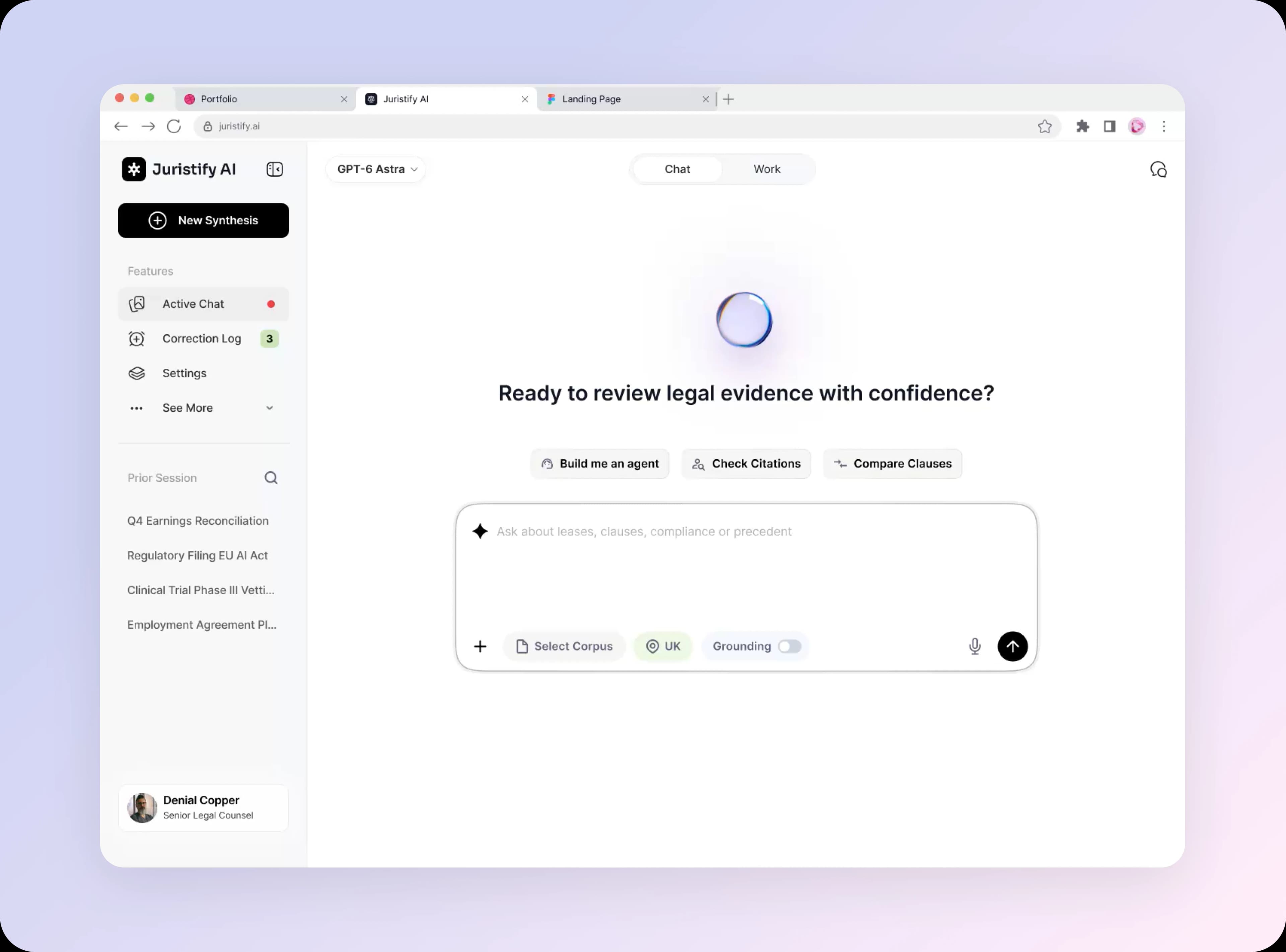
Beyond Confident Answers: Building a Trustworthy AI Agent
View Details