
Solving Data Quality Issues in CRM for High-Growth Teams
A UX case study on designing an AI-powered CRM that improves data accuracy, simplifies workflows, and builds user trust.
One evening, two sales managers on same company contact us discussing their CRM frustrations. One was tired of fixing data manually, duplicating data, outdated deals and missing details, while the other admitted his team had returned to Excel.
As we listen, their frustration becomes clear. Duplicate records, outdated deals, and missing details make it hard to trust the CRM and forecasting.
We bring those discussion into our client project laboratory. The challenge is to make CRM data reliable without adding manual work or letting incomplete information and duplicate records.
This case study explains the proposed product flow to connect data sources, enrich lead information, review pending records, marge control and identify duplicates. Atlast, we shows the result Where our cleint was very satisfy on our work on basis of certain time use of the product and start woring with us on variour problem solving issue.
Let's start with the problem.
Logo Formation
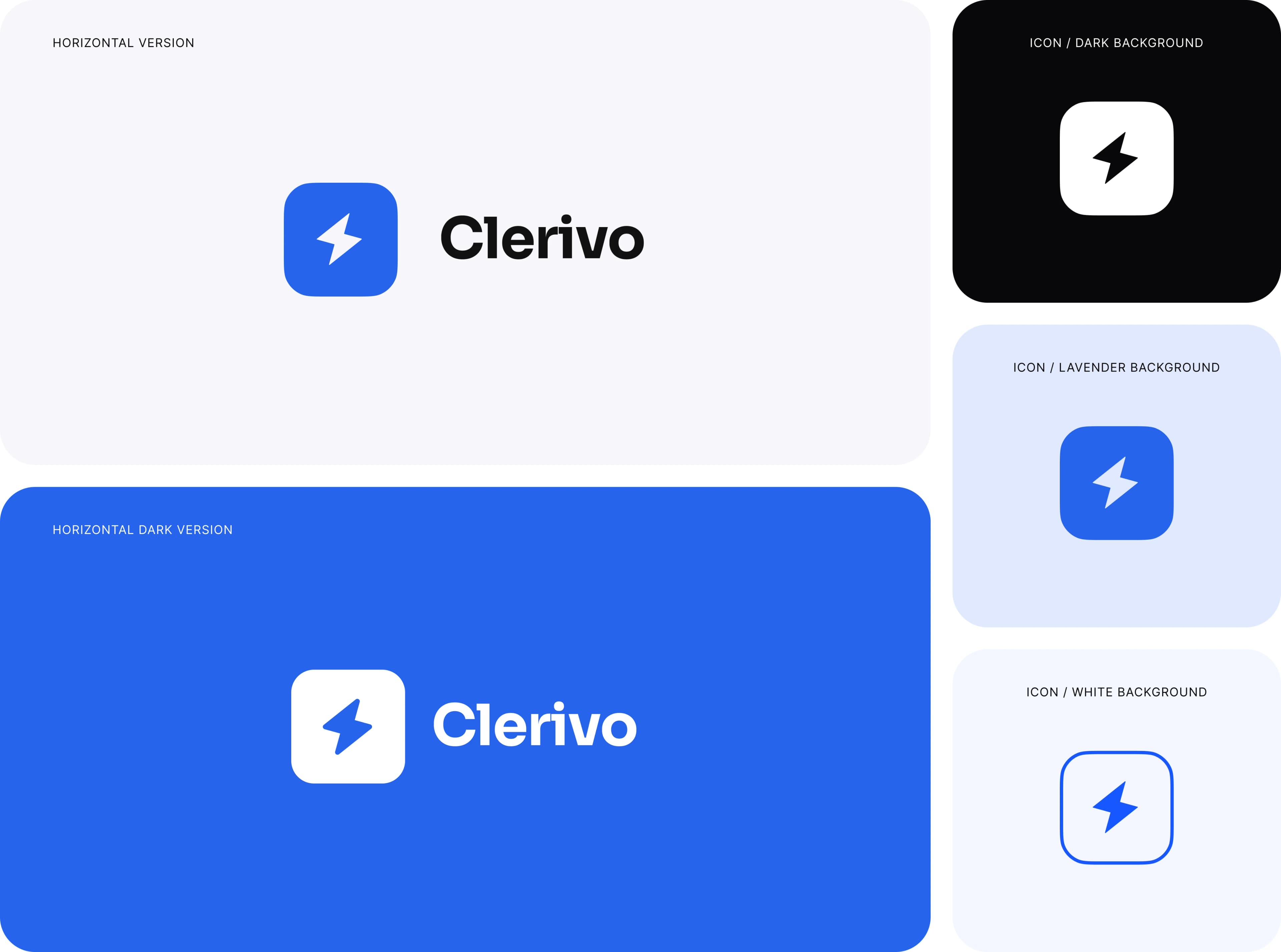
The Clerivo logo combines a lightning bolt with a rounded badge to represent AI automation, speed, and accessibility.
The bold wordmark creates a confident, professional identity, while the simple lightning bolt remains recognizable in different sizes and digital interfaces, ensuring clear brand recognition throughout the Clerivo experience.
Light, dark, and blue applications maintain visual consistency across the product, keeping the brand clear and adaptable.
The Problem: A CRM Full of Data Nobody Trusts
Clerivo had everything a modern CRM should have. It had features. It even had good intentions.
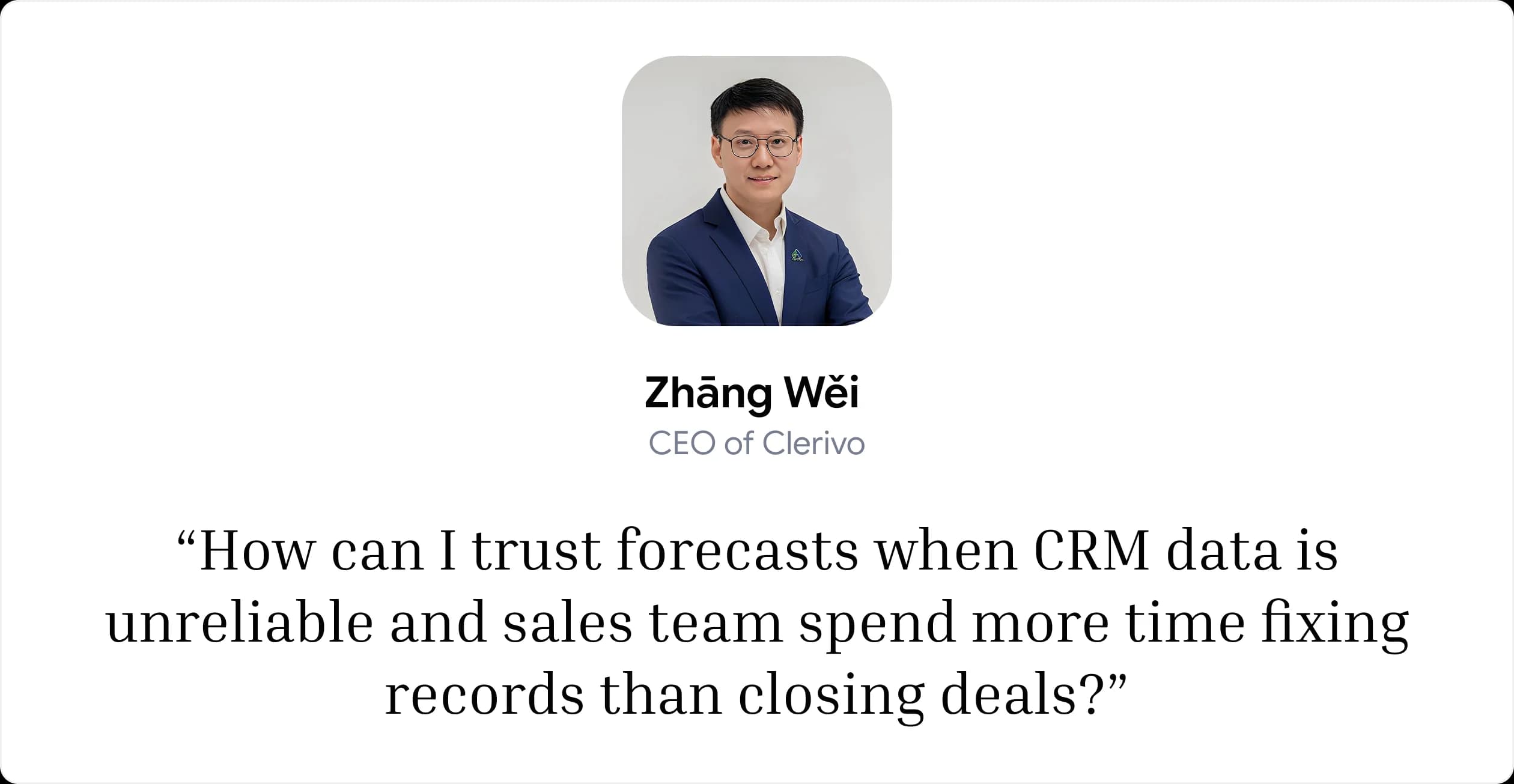
But the team kept wasting hours fixing CRM records. That lack of trust made accurate forecasts harder to deliver.
The cost is extra checking and uncertainty before outreach. This design brings the state of each lead closer to the action, so people can decide what needs attention before moving forward.
What We Found: Collection Needs a Clear Review Path
The supplied screens reveal four design challenges across collection and review. These are observations from the interface, not findings from an external user study. Each challenge shapes how the workspace explains progress and decisions.
Incomplete Lead Details
New records can arrive with fields still missing.
Unclear AI Progress
Processing must be distinct from completion.
Possible Duplicate Records
A matching record needs inspection before action.
Disconnected Source Health
A failed sync can leave the lead list incomplete.
From the Sales Team's Side, the Questions Are Simple:
Which records still need information?
Has AI finished preparing this lead?
Do we already know this person?
Is the source still collecting new contacts?
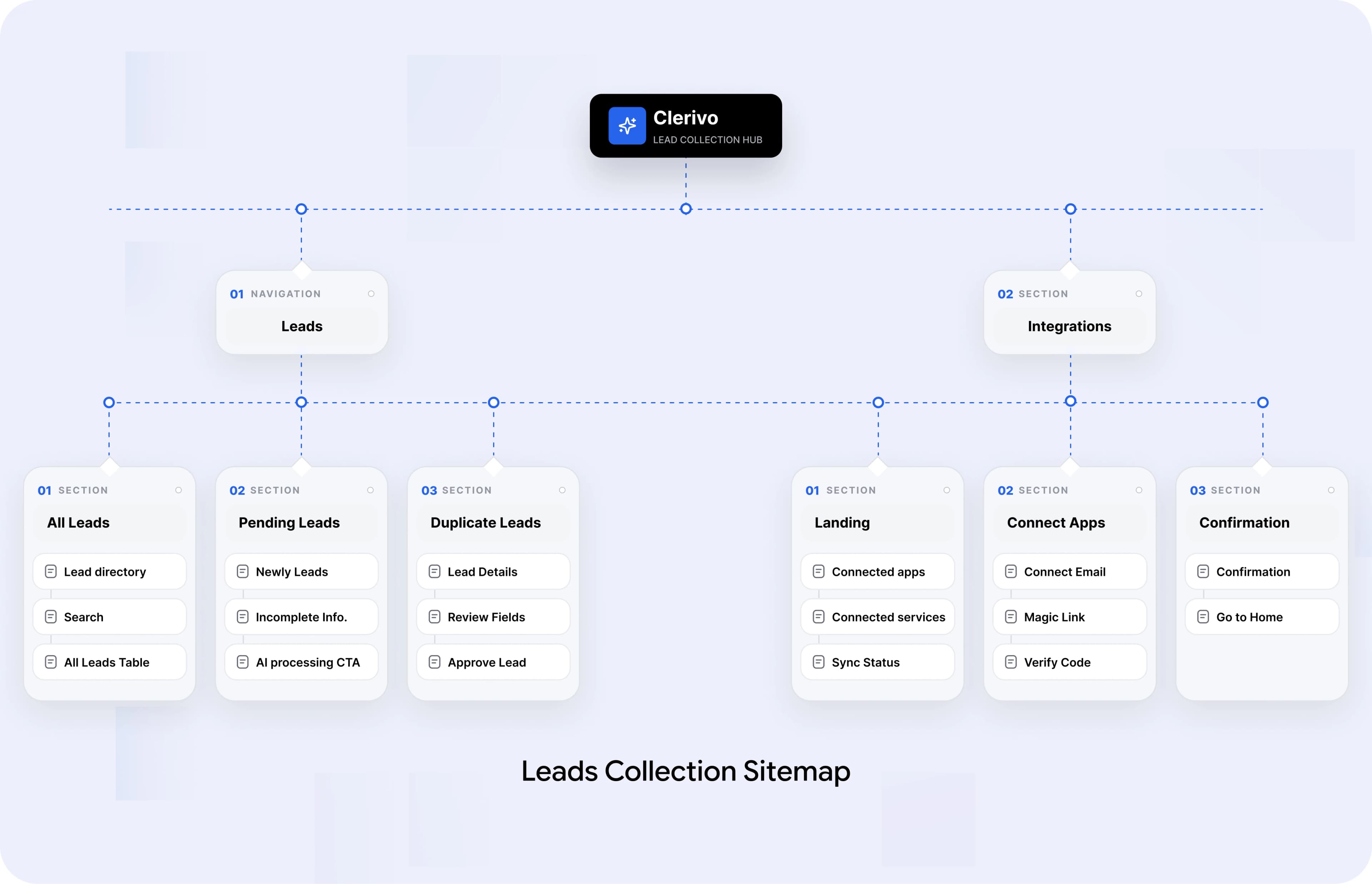
Information Architecture
The Information Architecture follows a simple Capture, Review, Approve model. AI automatically extracts contacts and deal updates into a central Validation Queue for one-click approval.
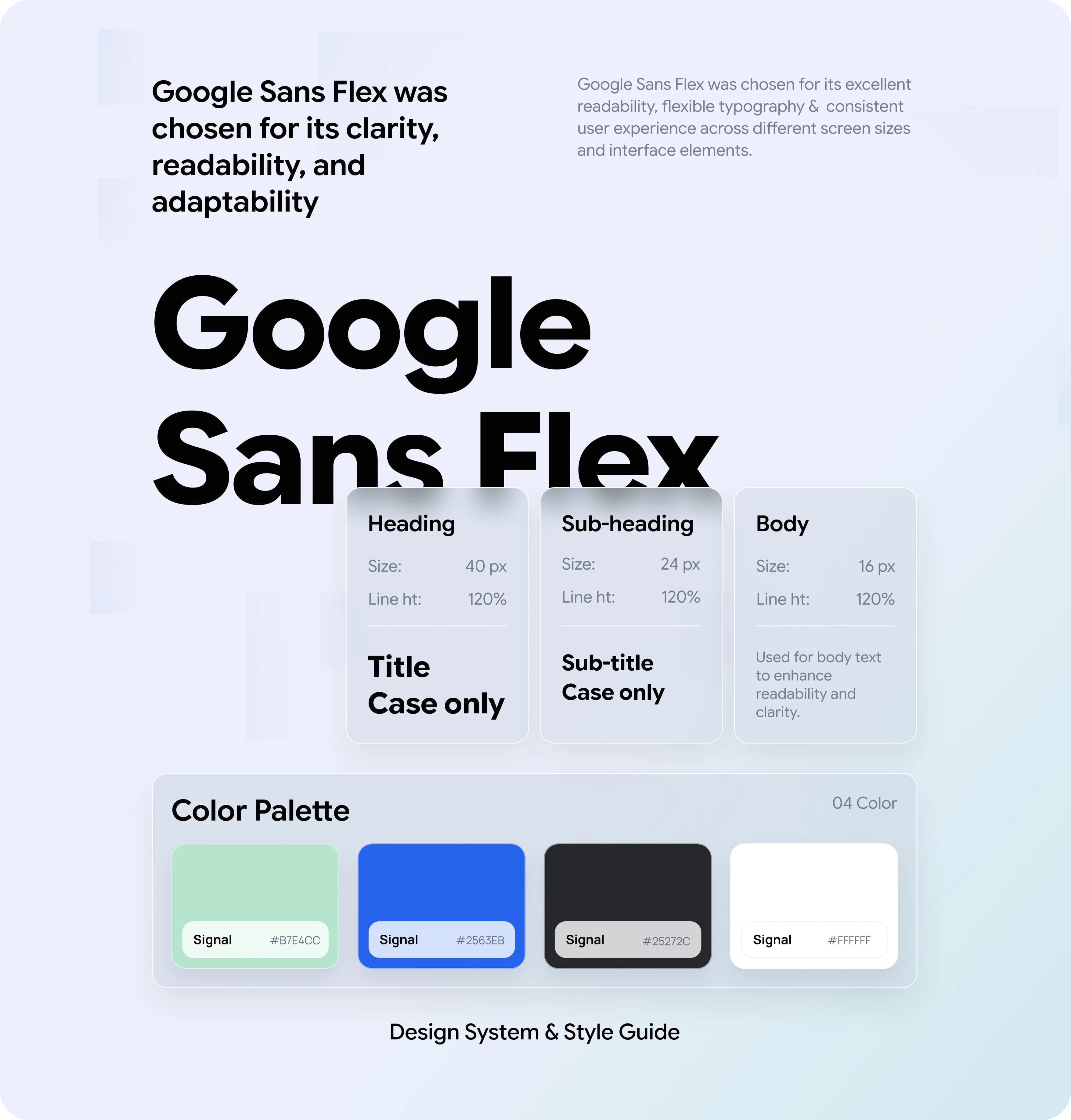
A Consistent Design System for a Better User Experience
We established a cohesive design system to ensure clarity, consistency, and scalability across the CRM. From typography to color choices, every element was designed to improve readability, simplify data-heavy interfaces, and create a seamless user experience.
Four Problems, Four Solutions
AI prepares lead information, while sales teams stay in control of verification and approval. Four design decisions address the key challenges of collecting, enriching, and managing reliable CRM data.
Problem: New Leads Arrive Incomplete
A name and email are not always enough to make the next sales decision. Missing information slows down qualification and follow-up.
Solution: AI-Assisted Lead Enrichment
The Pending view provides a Generate All Information action and a separate AI Processing state, helping teams prepare missing details before approval.
Problem: AI-Generated Data Needs Verification
AI can enrich lead information, but suggested details may be incomplete or inaccurate. Users need to review the information before trusting it.
Solution: Human-Controlled Lead Approval
A dedicated approval step lets users review prepared information before accepting it, keeping automation efficient without removing human oversight.
Problem: Duplicate Leads Create Confusion
The same contact may enter the CRM through multiple sources, creating repeated records and uncertainty about which information to use.
Solution: Dedicated Duplicate Review
A separate Duplicate tab and Review & Merge action help teams identify potential matches and review records before merging them.
Problem: Integration Failures Disrupt Lead Collection
Disconnected accounts or failed synchronization can prevent new leads from entering the CRM without users immediately noticing.
Solution: Visible Integration Health
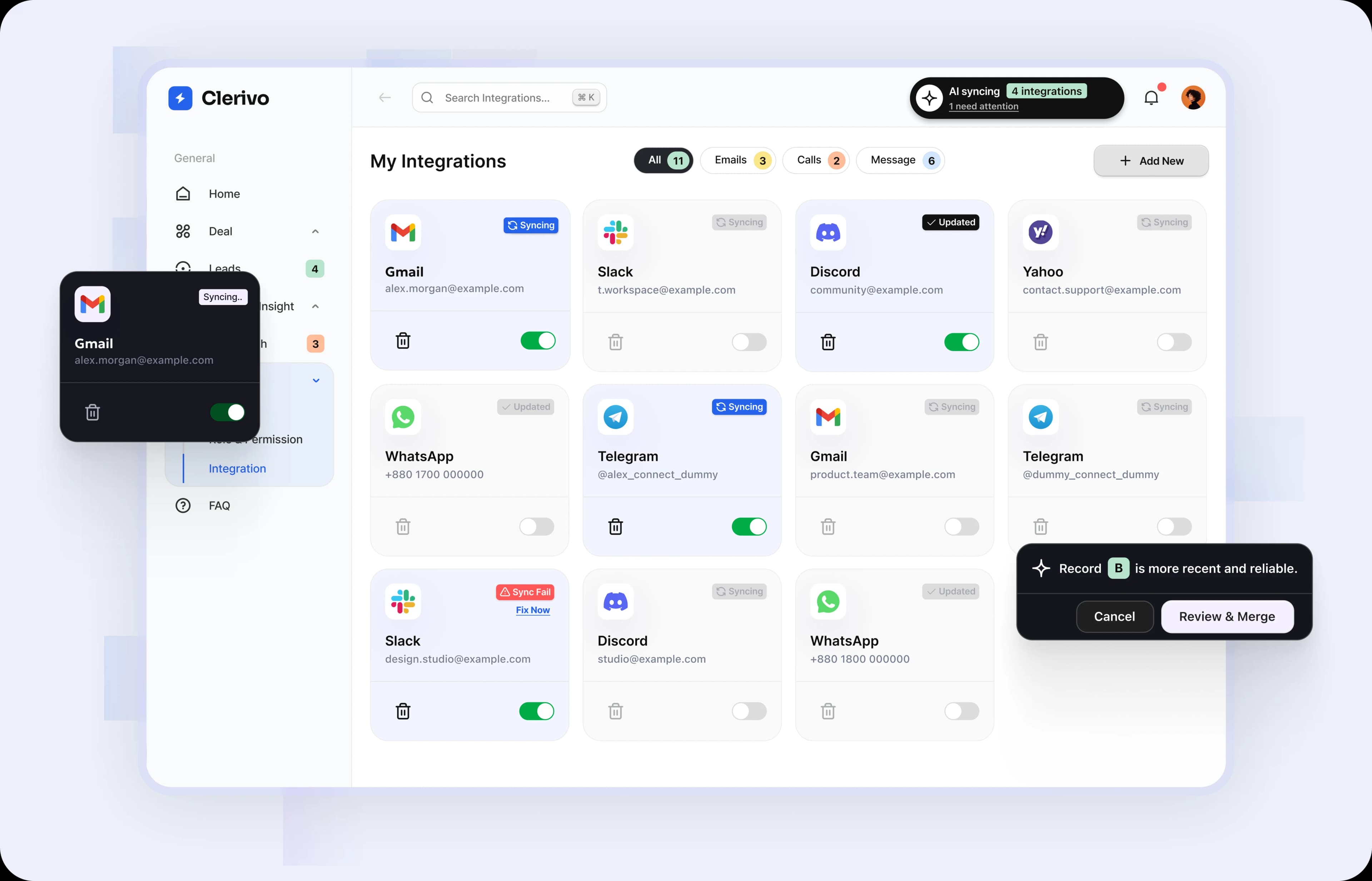
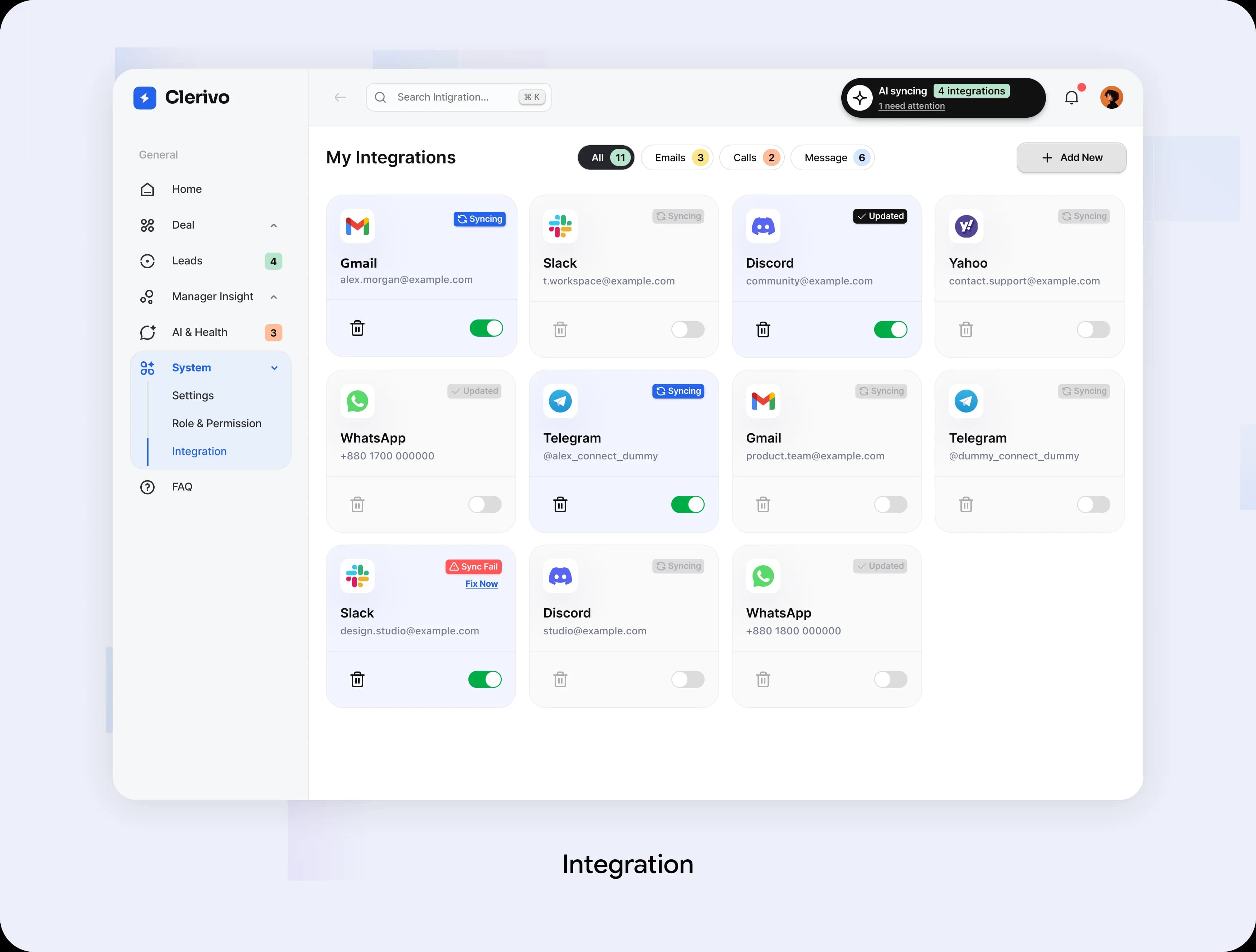
The Integrations view displays connection and sync statuses, including Sync Fail and Fix Now, helping users identify issues and restore lead collection.
The Leads Journey: From Collection to Confident Review
We mapped how connected sources bring in leads, AI prepares missing information, and sales teams review duplicates before approving records.
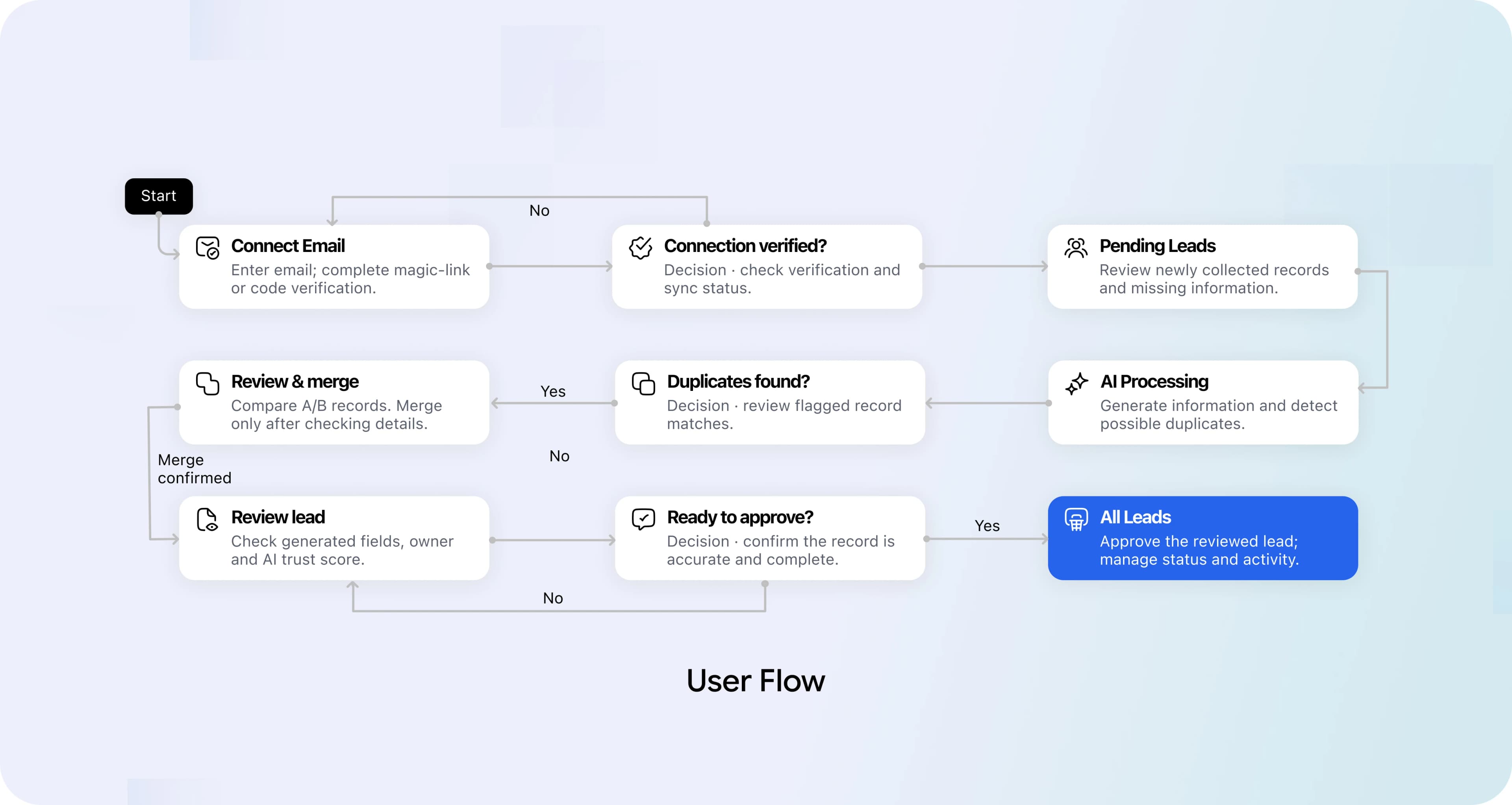
From Low-Fidelity to High-Fidelity Screens
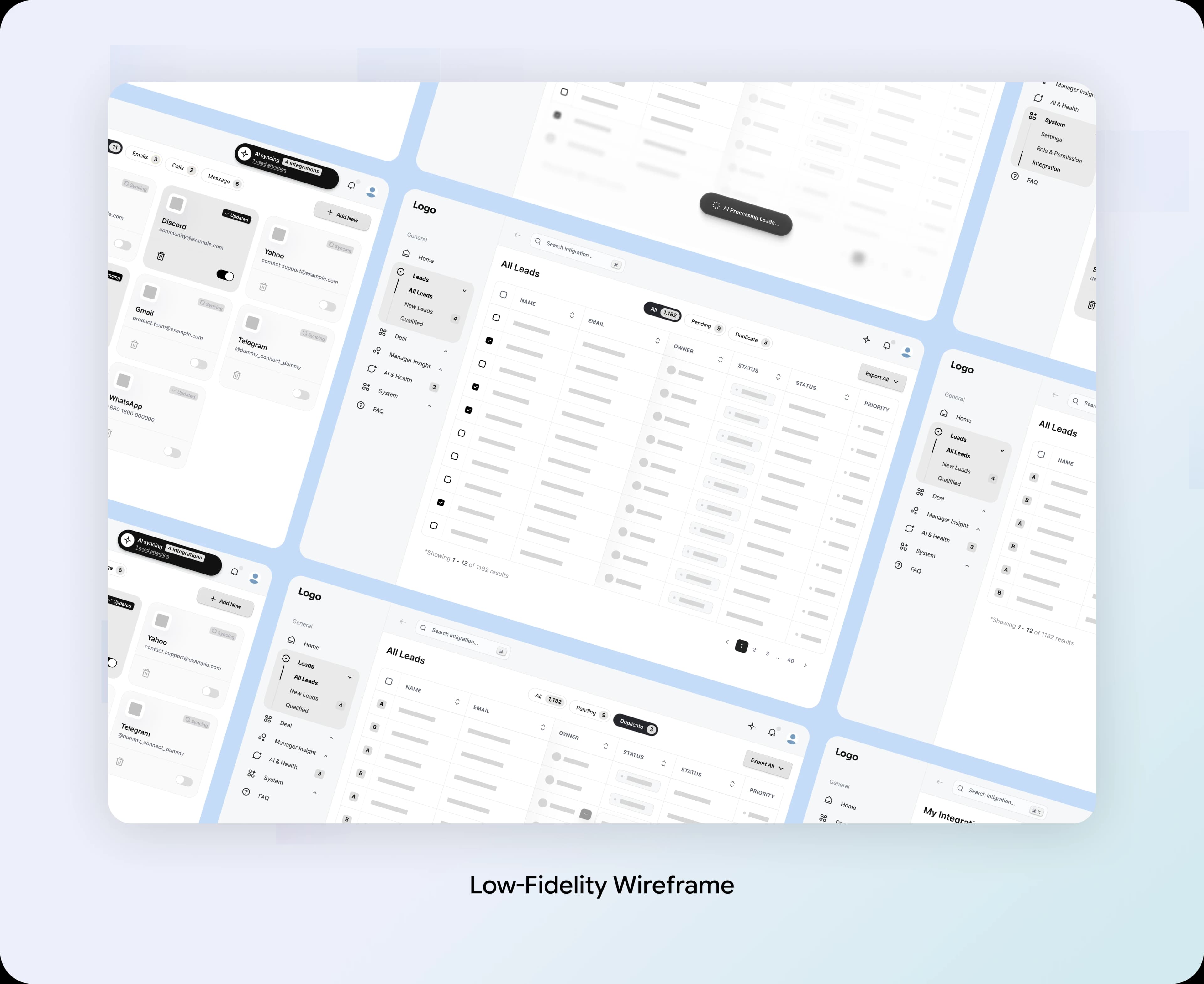
We began with the collection and review structure, then refined the interface to make each lead state clear.
Low-Fidelity Wireframes
Our early layouts focused on source connections, AI processing, pending approvals, and duplicate review.
High-Fidelity Designs
Ten supplied screens cover the main list, enrichment, approval, duplicates, and email connection. They are grouped into the moments below to explain the flow without separating closely related states.
These are product designs, not evidence of a deployed system. Validation should test whether people can distinguish processing, review, and completion and recover from connection errors.
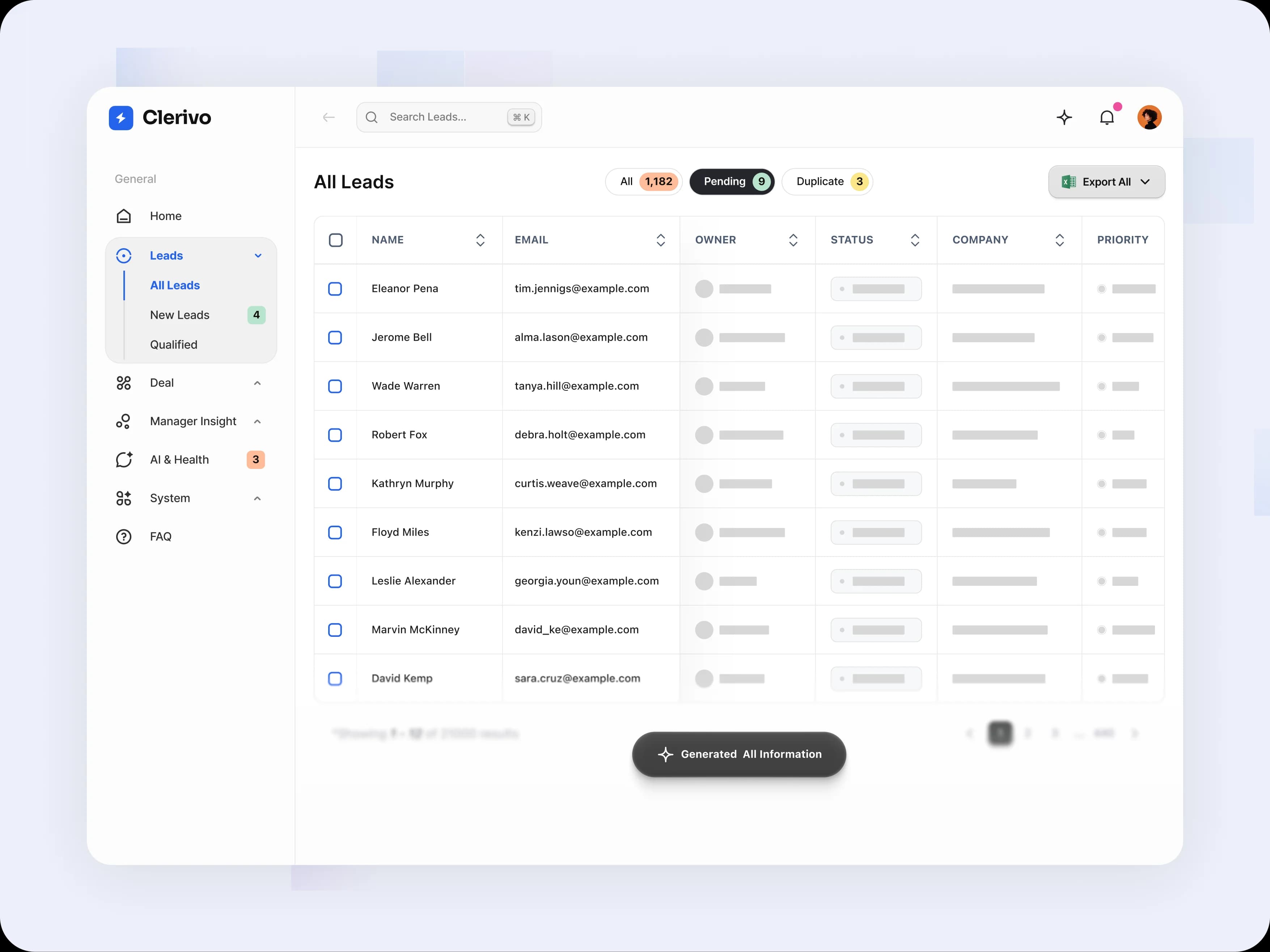
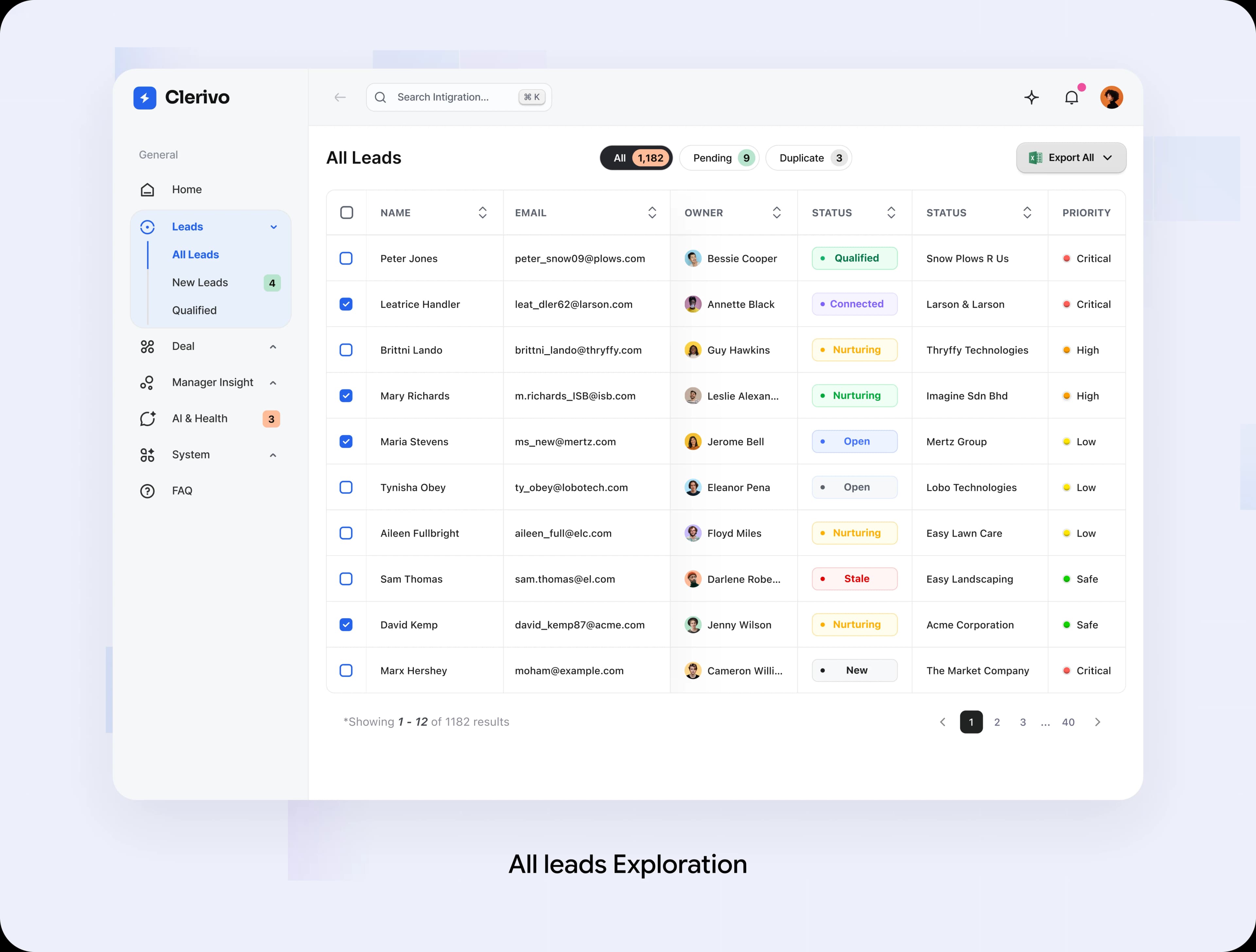
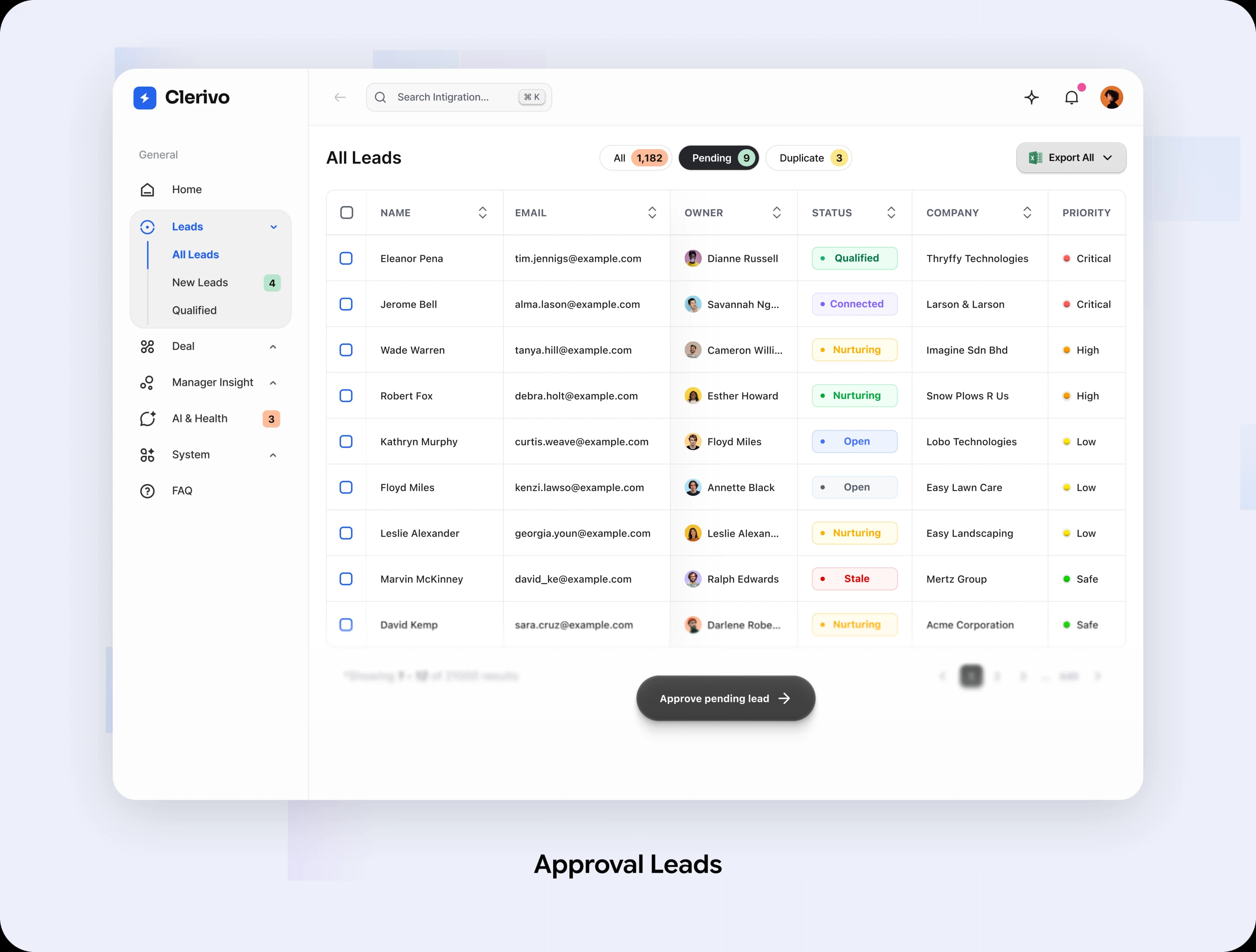
All Leads: One Workspace, Clear Review States
The main table brings contact details, ownership, status, and priority into one place. All, Pending, and Duplicate tabs keep different kinds of work close together.
Design Decision:
A familiar table helps people scan many records. Separate views prevent a collected lead from looking the same as a record that still needs review.
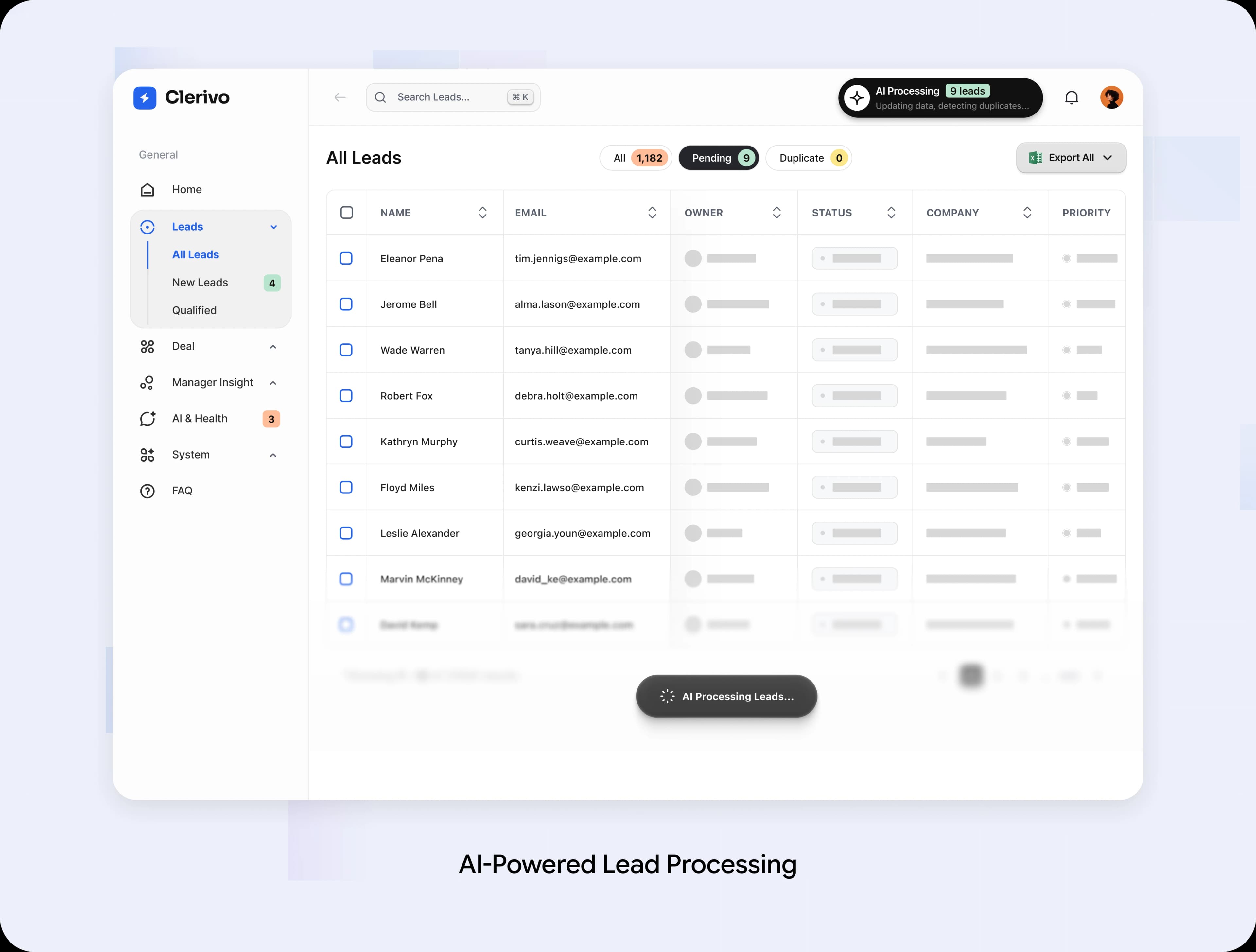
Processing: Show How Pending Leads Are Generated
When new leads are added, AI processes the incoming data, validates key details, and checks for duplicates. While processing is underway, pending records remain visible with loading indicators, helping users understand that the data is not yet ready for review.
Design Decision:
Use clear processing indicators and a dedicated pending state to distinguish incomplete records from verified data. Keep users informed about ongoing AI activity without interrupting their workflow.
Approval: Make the Human Handoff Explicit
After information is prepared, the pending view offers an approval action. Details, ownership, and prioritisation signals remain within the same table.
Design Decision:
Generated information is not automatically verified. Keep approval deliberate and explain how trust scores and rank signals should inform review.
Duplicates: Put Possible Matches in One Place
The Duplicate tab isolates records that may already exist. Reviewers can focus on that queue while keeping the same navigation and table structure.
Design Decision:
A possible match should start a review, not silently merge people. Matching reasons, side-by-side comparison, and undo are the next design requirements.

Integrations: Keep Collection Health Visible
Connected channels appear with sync status. When a source fails, Sync Fail and Fix Now make the interruption visible instead of leaving people to infer it from missing leads.
Design Decision:
Bring recovery into source management. Last-success time, permissions, and retry outcomes should be explicit in a production implementation.
Email Connection: Guide Each Step to Completion
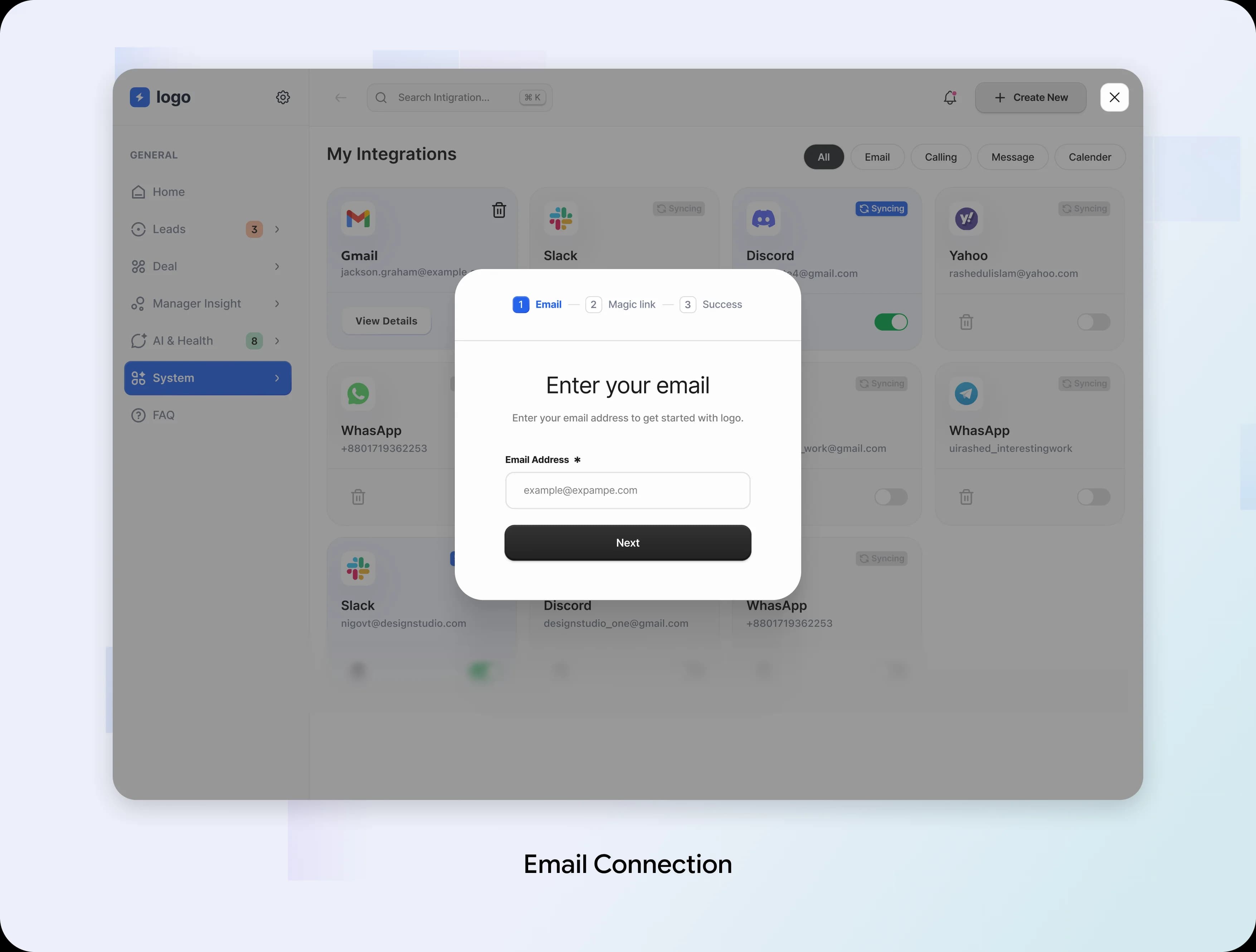
The supplied flow moves from email entry to an inbox handoff, code verification, and a final return action. The four screens below show those related states together.
Design Decision:
Keep the account and next action visible throughout setup. The supplied final state still uses verification wording; completion copy must confirm the actual connected account before release.
Magic Link: Explain the Handoff
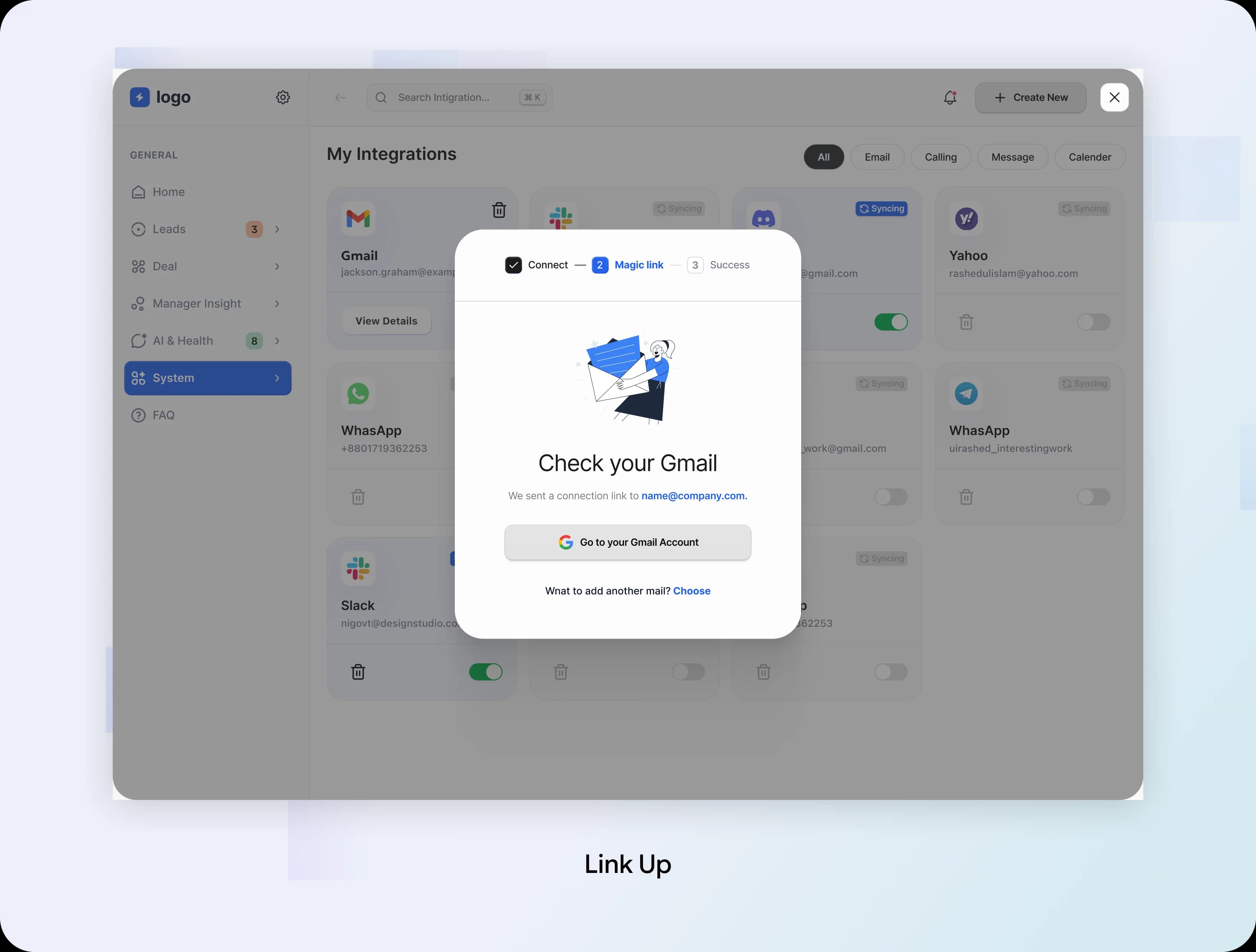
The magic-link state tells people where the connection email was sent and gives them a route to their inbox.
Design Decision:
Keep the destination visible and make changing the email easy. Returning from the inbox should preserve progress.
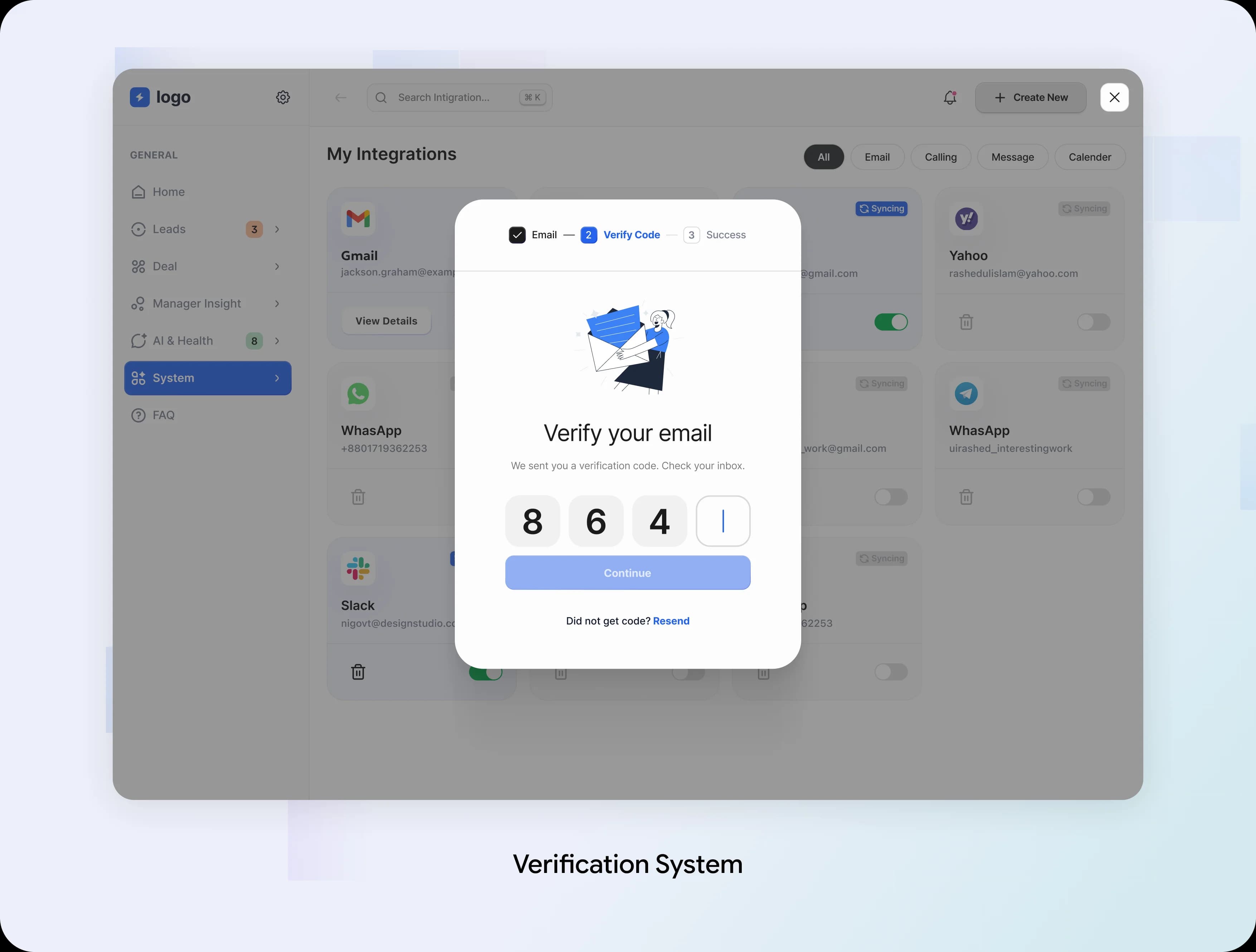
Verification Code: Complete the Check
The verification screen presents code entry and a resend option. It gives people a path forward when they return from their inbox.
Design Decision:
A production flow must explain expired or incorrect codes and provide clear feedback after a resend.
Connection Result: Close the Loop
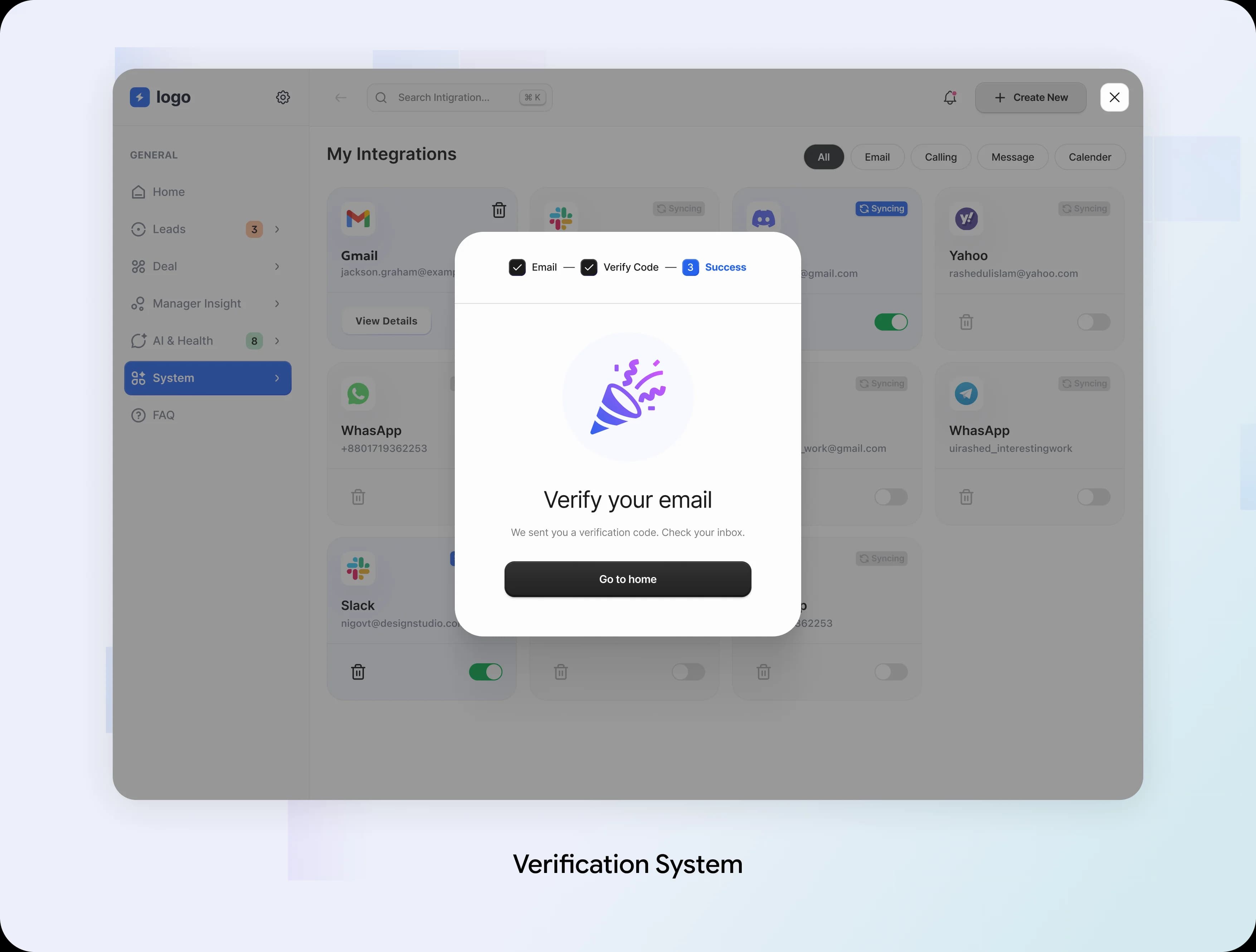
The final supplied view offers a route back to the workspace. Its verification wording needs to match the actual connection result before release.
Design Decision:
Completion should explicitly confirm the connected account and next sync state. Do not imply success until it is confirmed.
The Results: A Cleaner Lead Automation Workflow
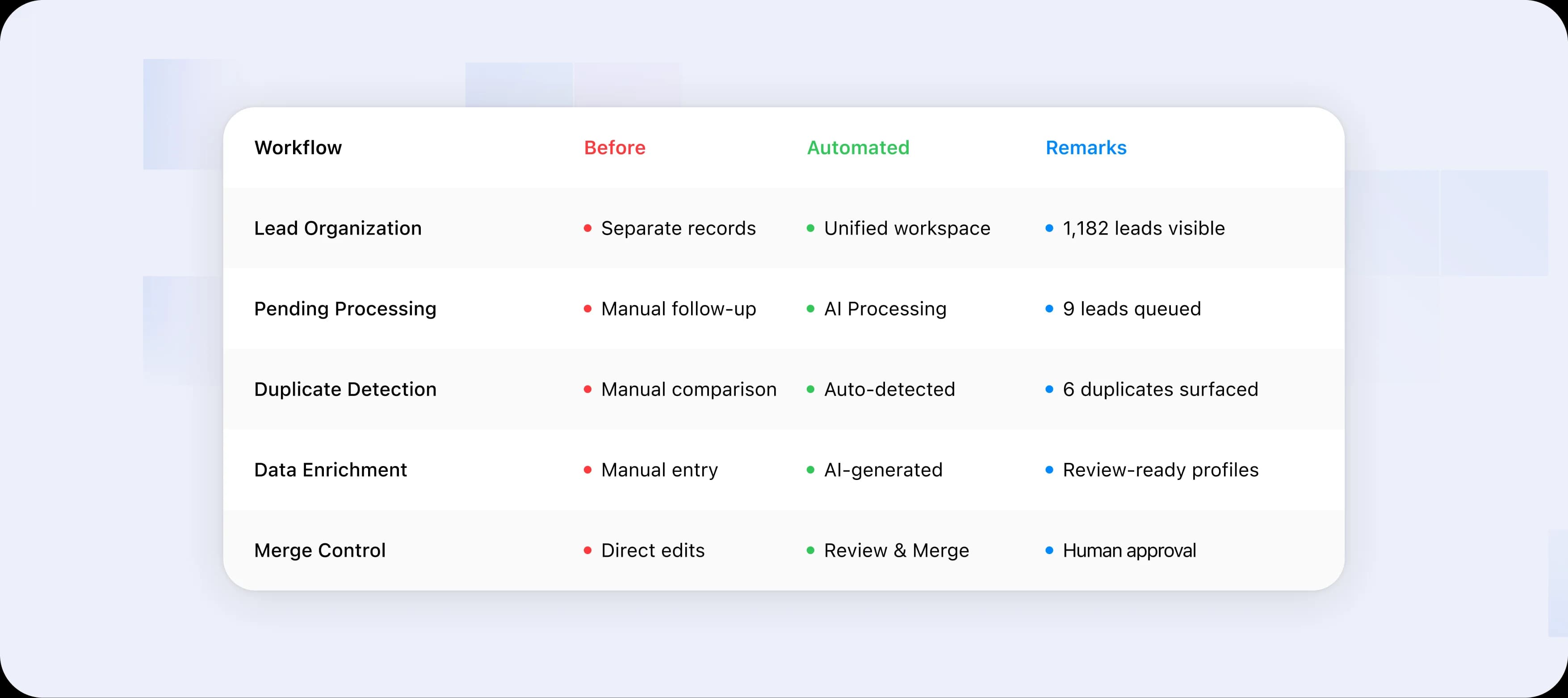
Clerivo now unifies lead collection, AI enrichment, duplicate detection, and review in one workspace, giving teams a clear view of 1,182 leads.
Pending leads move through an AI processing step, while likely matches are held for review with a clear Review & Merge action—keeping automation fast without removing human control.
The Product Outcome
What We Build Next
The data quality problem is much better. If we had more time, we would take the idea one step further. Today the AI helps the sales rep. Next, the AI works for the sales rep. One line to remember, first the CRM stops asking people to type. Then the CRM stops asking people to open it.
AI as an Invisible Workflow
Sales reps never need to open the system. They only talk, message or meet the customer, and the AI runs the CRM in the background. Why: the best form is no form at all.
AI as a Shadow Worker (A Digital Twin)
Each sales rep gets a digital twin. It learns what deals the rep handles, what timelines they promise and what mistakes they tend to make. If the rep forgets a task, the twin does it, or reminds them again and again. Why: it catches problems before the rep even notices them.
AI as a Decision Gatekeeper
The AI does not only collect data. It also judges it, and marks it as reliable, risky or garbage. The manager can then make decisions from those signals. Why: it moves trust from the person to the system.
What This Project Taught Us
Four lessons we will carry into every AI product we design:
Fix the Source, Not the Symptom
Cleaning data later never works. The real fix is to stop bad data from entering at all.
Let AI Own the Work, and Humans Own the Decision
AI is fast, and people are accountable. The best screens let each do what they do best.
Explain the AI
A message like “Record B is more recent and reliable” does more for trust than any score. People accept help when they understand it.
A Trust Is a Design Feature
It is not a side effect. Status chips, clear alerts and a safe last step are all small decisions that add up to trust.
What We liked most about this project was making a heavy, data-filled tool feel light, and giving sales teams back the time they used to lose to typing.
Special Note:
This case study is based on a real client engagement. Certain identifying details have been omitted due to confidentiality requirements.
Thanks For Reading
Explore More of Our Work
Beyond Confident Answers: Building a Trustworthy AI Agent
View Details